Analysis and Generation of Visual Scenes with Deep Learning
The results of both modules. All figures are files in python_research/data/, regenerated with the current code (Module 1: 11 October 2026; the objects-in-hands demo: 13 October 2026; Module 2: 8 October 2026), on a laptop with an RTX 2060 (6 GB); the frames of the filmed demo (15 October 2026) are in images/python_app/demo/.
Module 1 – Action recognition
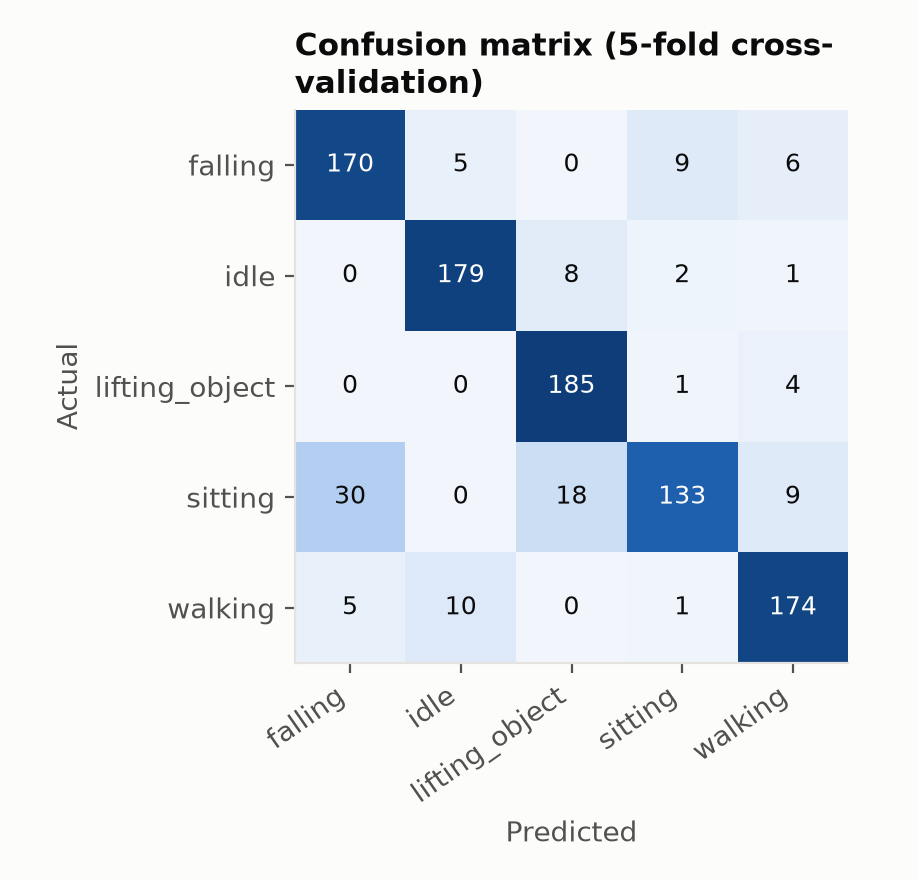
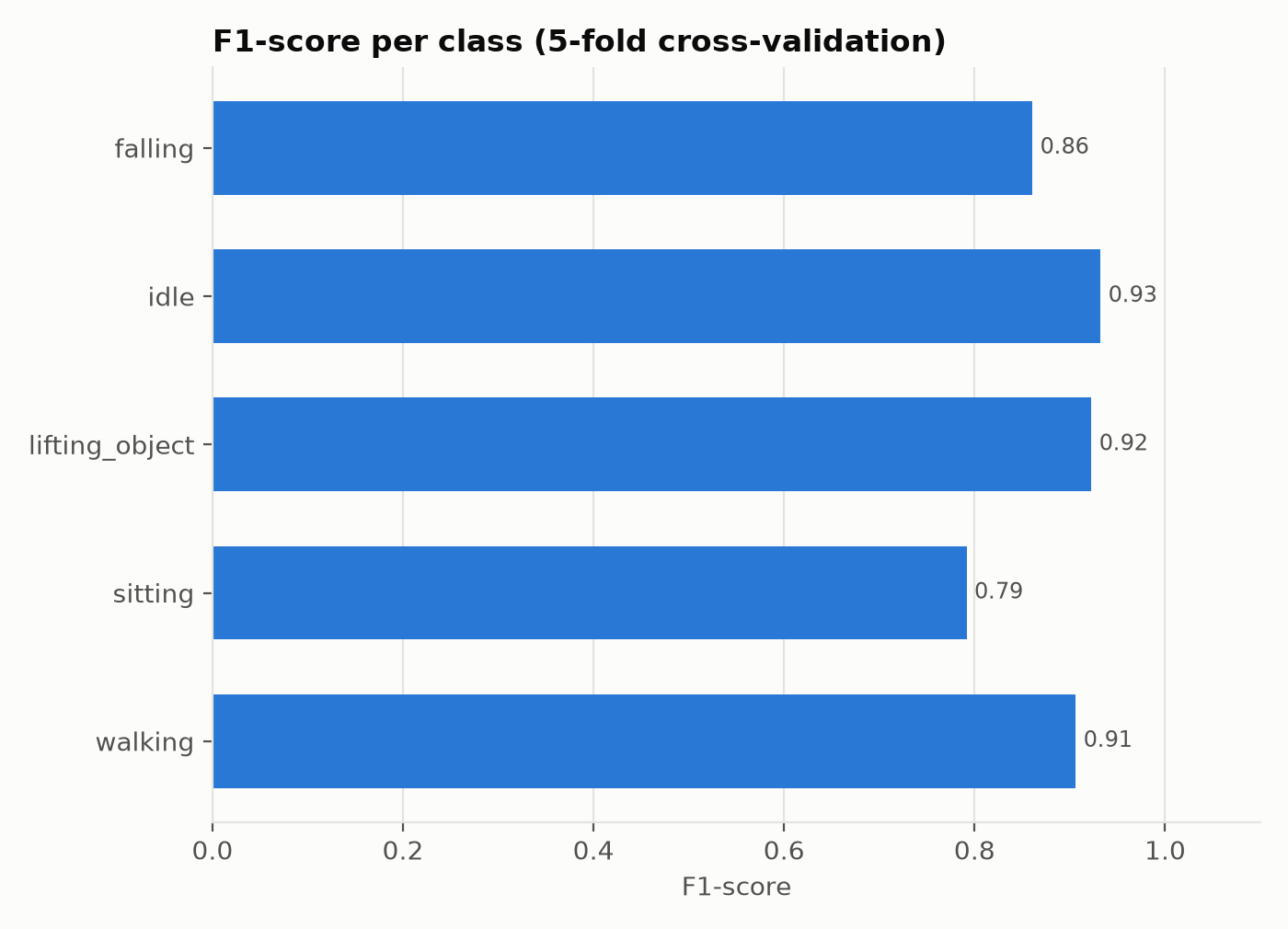
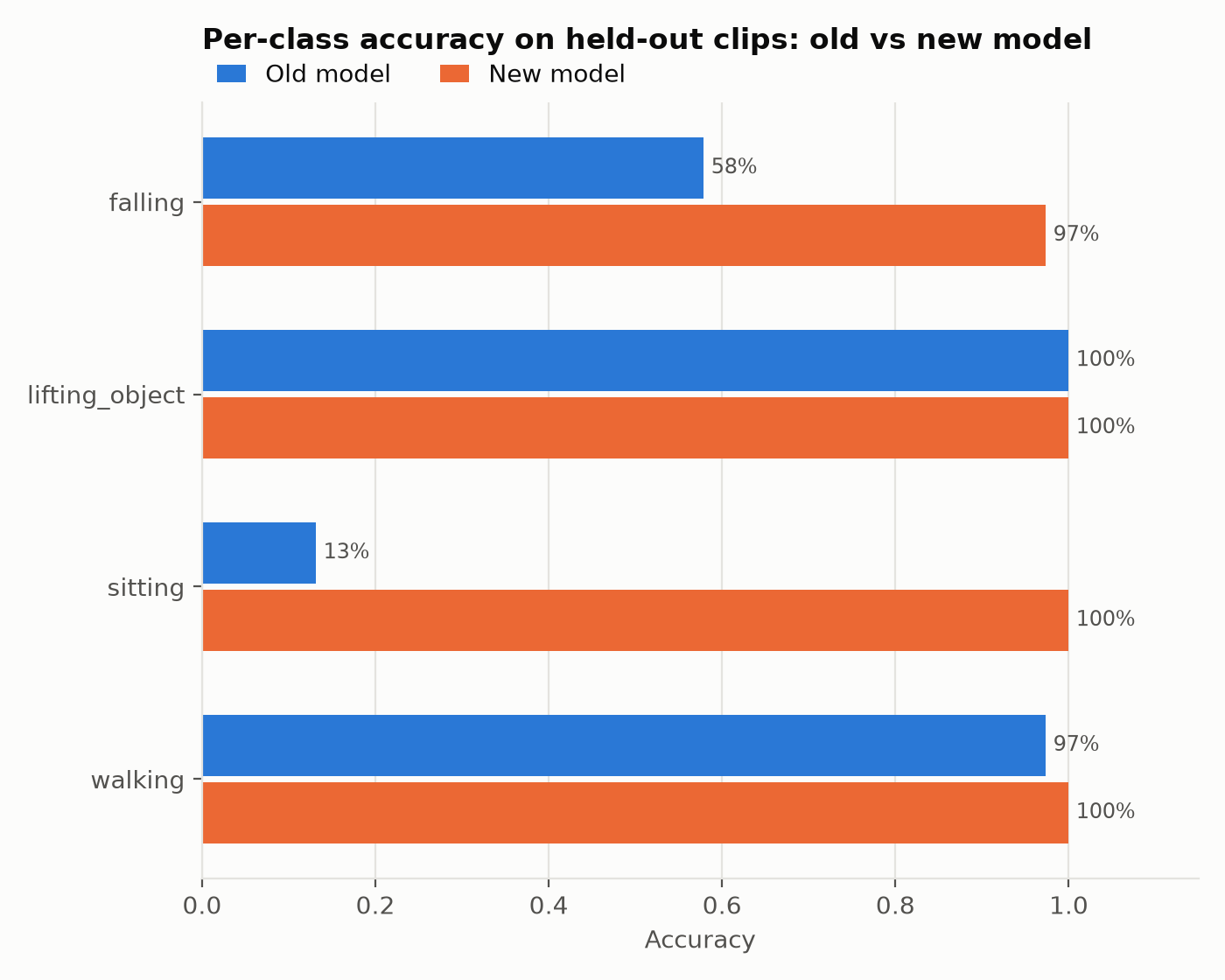
Five actions – falling, standing still ("idle"), lifting an object, sitting down, walking – learned from 50 clips of 5 seconds each (10 per action). Evaluated by 5-fold cross-validation, on clips unseen in training. The final model (an LSTM with the velocity of the points computed inside the network, a ~1.9 s time-sampled window) reaches 88.5% window accuracy, 94.0% clip accuracy, a macro F1 of 0.88 and an MCC of 0.86.
| Metric (cross-validation) | Initial model, 4 actions | Final model, 4 actions | Final model, 5 actions |
|---|---|---|---|
| Window accuracy | 78.4% | 84.2% | 88.5% |
| Clip accuracy (majority vote) | 80.0% | 87.5% | 94.0% |
| Macro F1 | 0.77 | 0.83 | 0.88 |
| MCC | 0.71 | 0.80 | 0.86 |
The "idle" class (standing still, including with the hands held out, as when holding an object) also improved the other classes, because the model no longer has to fit stillness into an action; it has an F1 of 0.93 itself. On the live path (smoothing and the 60% threshold), on unseen clips, standing still is shown as "idle" 96% of the time and "uncertain" only 2%; 47 of the 50 clips are recognized correctly.
Live robustness test
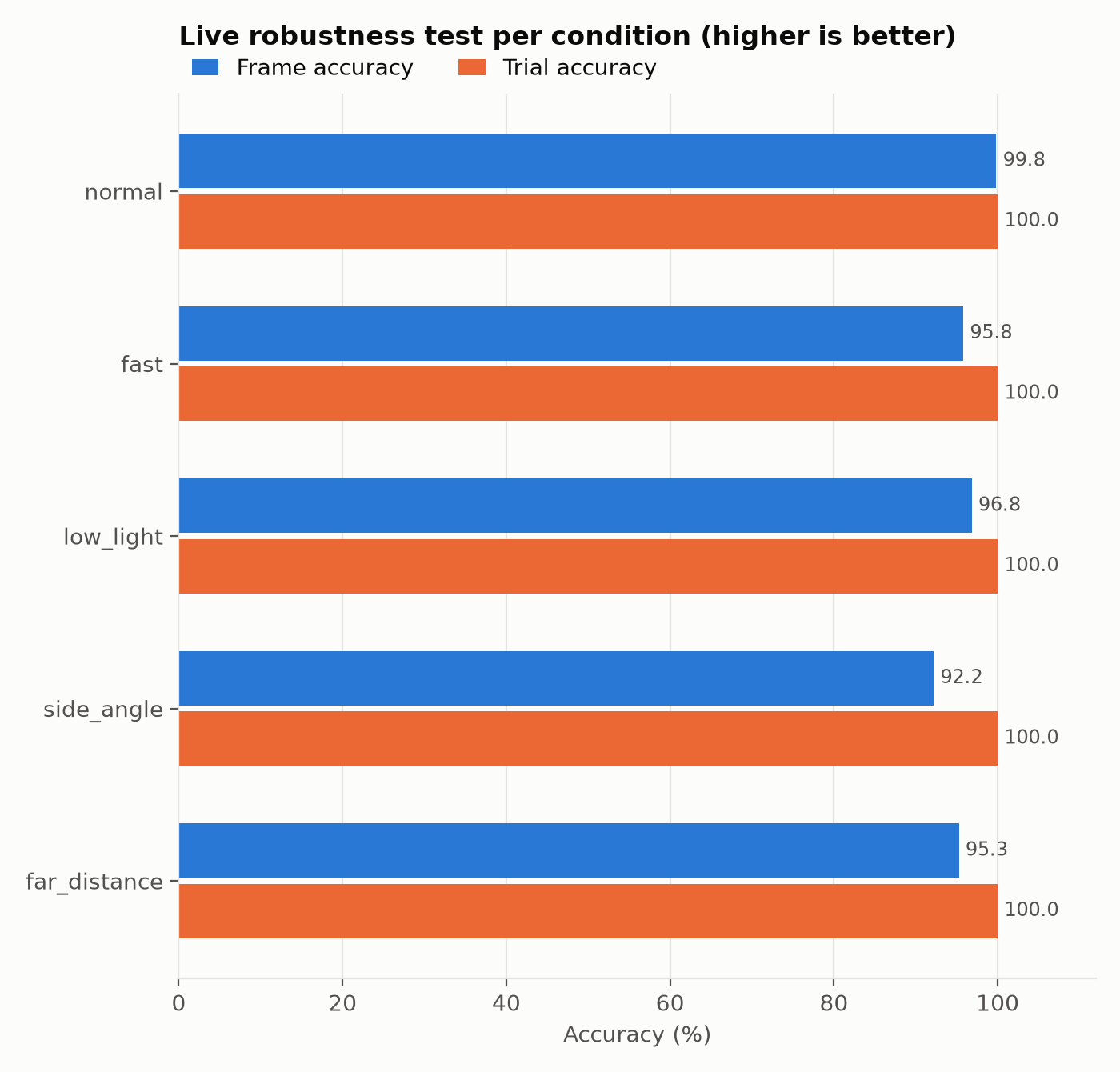
The final model, tested live with the camera in 5 conditions, with timed trials (3 s to get into position, 4 s recorded, the same path as the C++ app). One trial per action in every condition: 25 trials, ~600 frames per condition.
| Condition (live test) | Frame accuracy | Correct trials | Falling | Idle | Lifting | Sitting | Walking |
|---|---|---|---|---|---|---|---|
| normal | 99.8% | 5/5 | 100% | 99% | 100% | 100% | 100% |
| fast movements (fast) | 95.8% | 5/5 | 100% | 82% | 100% | 97% | 100% |
| low light (low_light) | 96.8% | 5/5 | 90% | 94% | 100% | 100% | 100% |
| side view (side_angle) | 92.2% | 5/5 | 68% | 96% | 97% | 100% | 100% |
| far from the camera (far_distance) | 95.3% | 5/5 | 93% | 83% | 100% | 100% | 100% |
All 25 trials are recognized correctly. The hardest condition is the side view, especially falling (68% of the frames), which seen from the side looks like sitting down; "idle" drops to 82–83% with fast movements and far from the camera, sometimes confused with walking. With a single trial per action and condition, the per-action figures are indicative.
Modules 1 + 2 together – museum objects in your hands
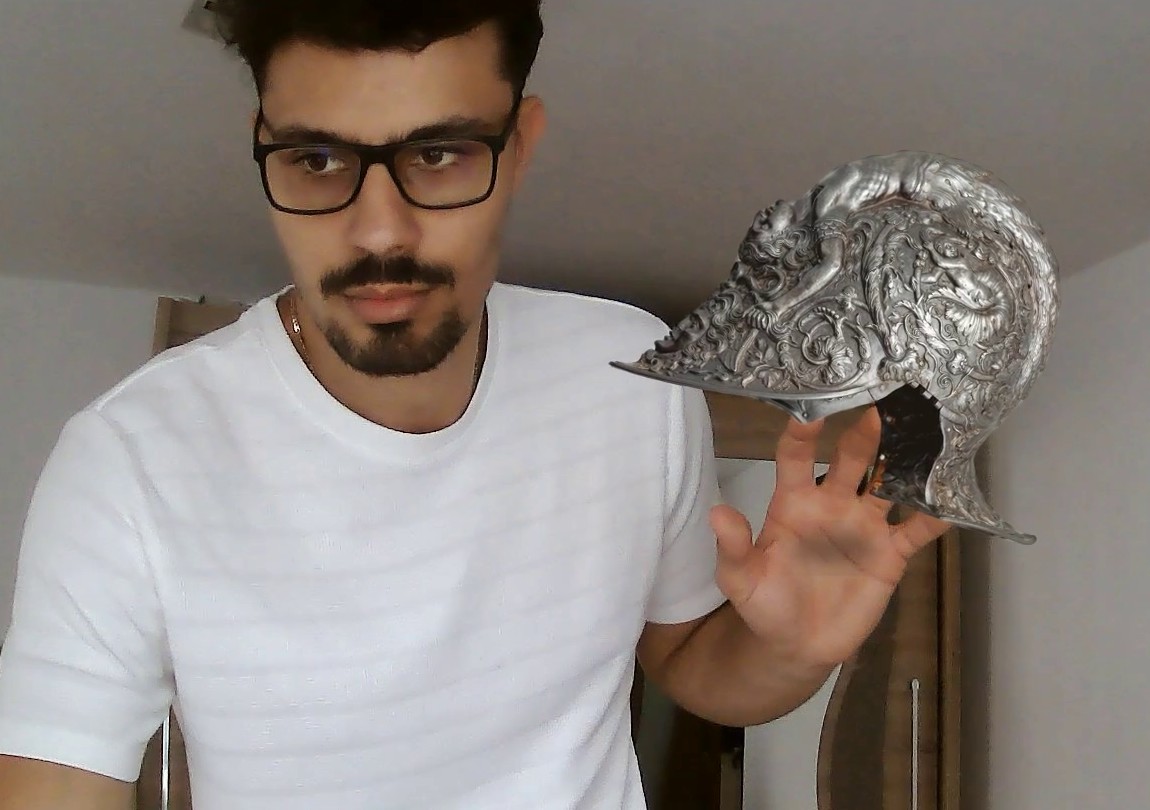
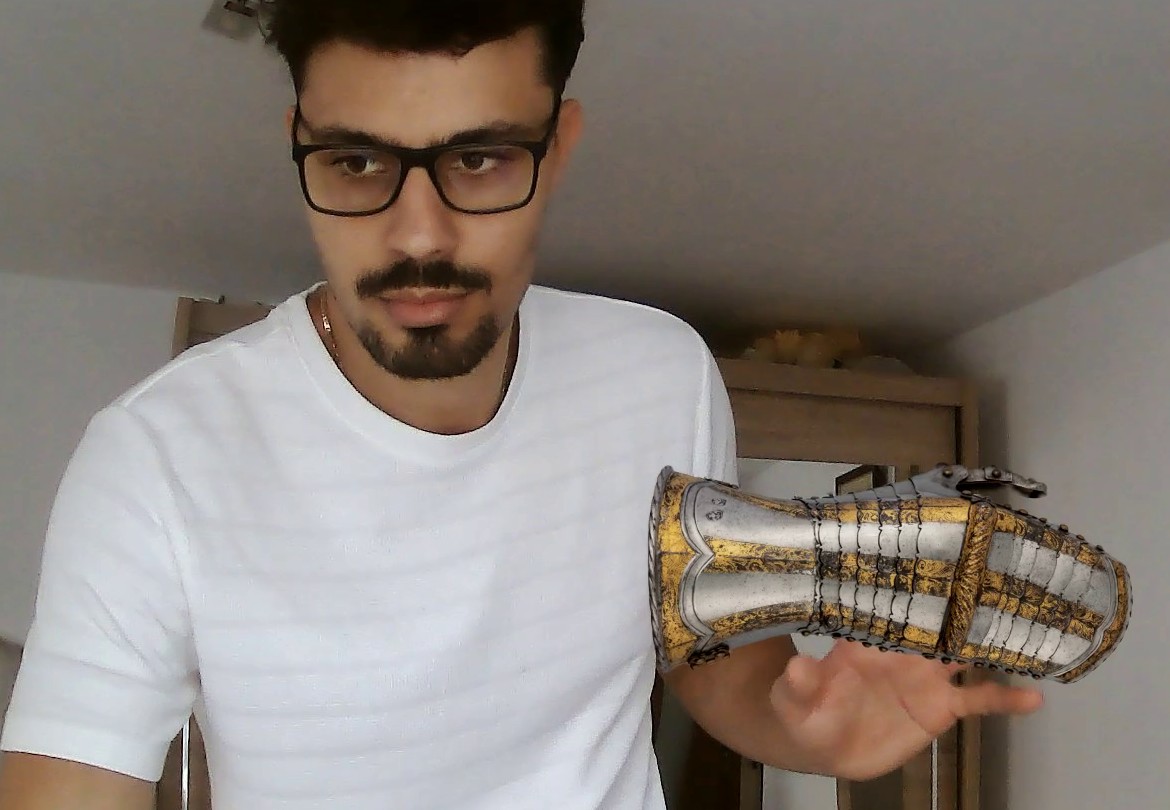
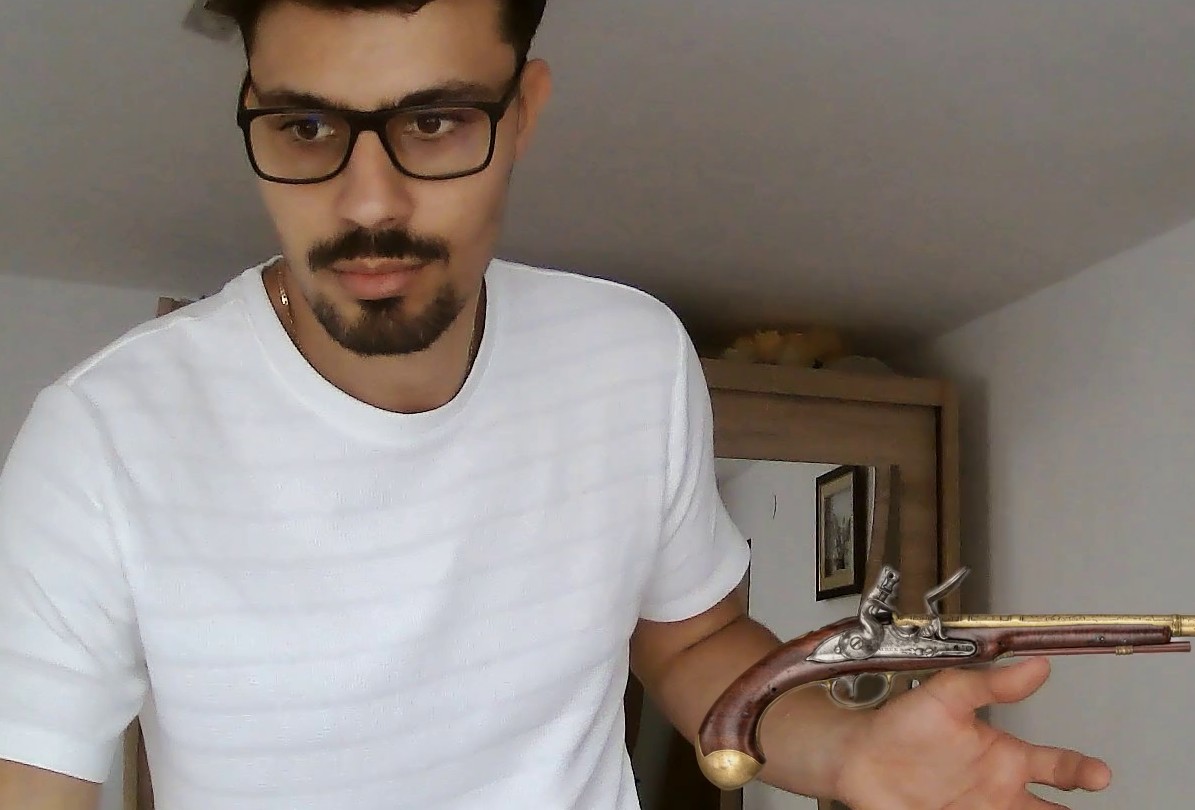
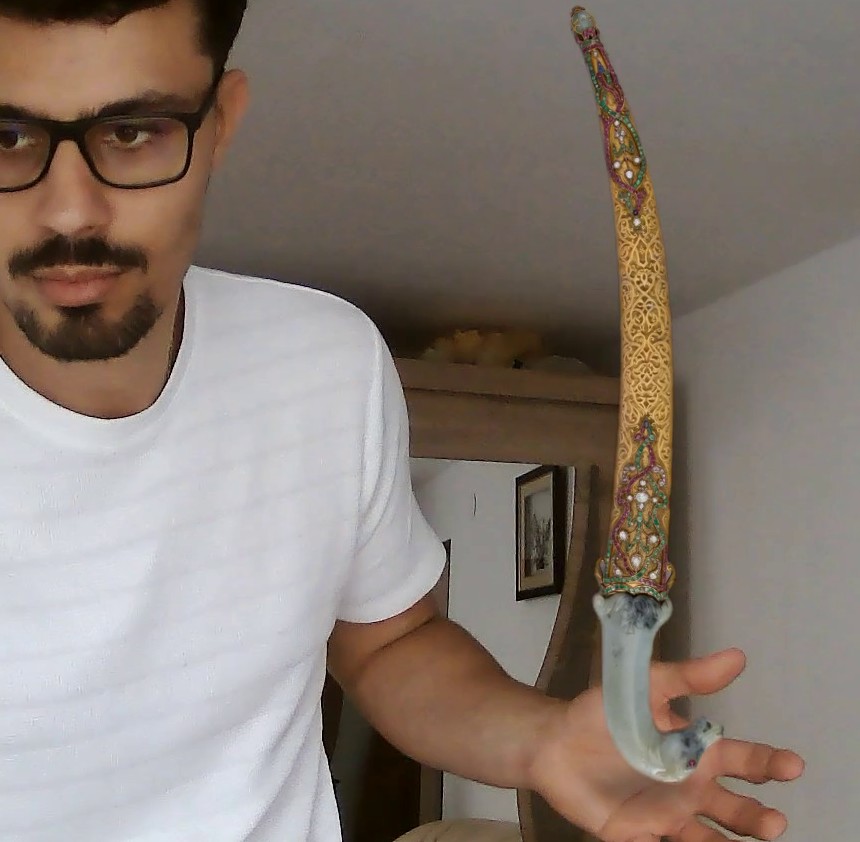
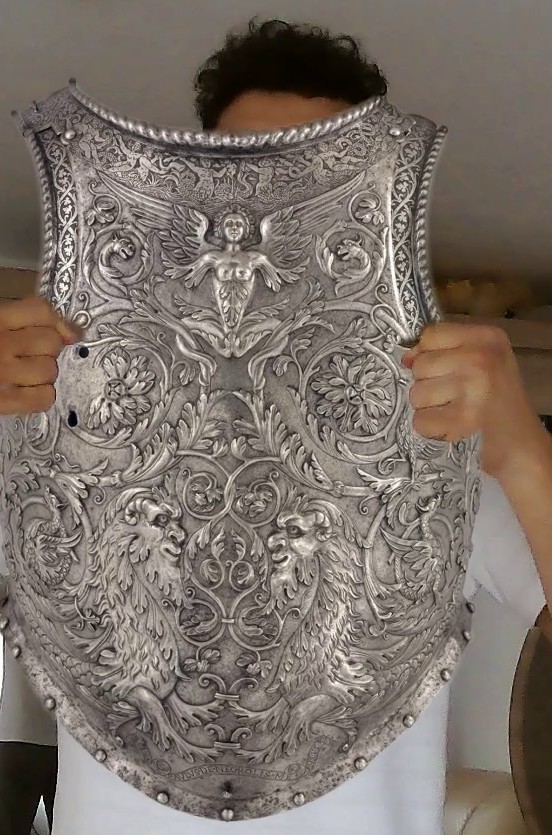
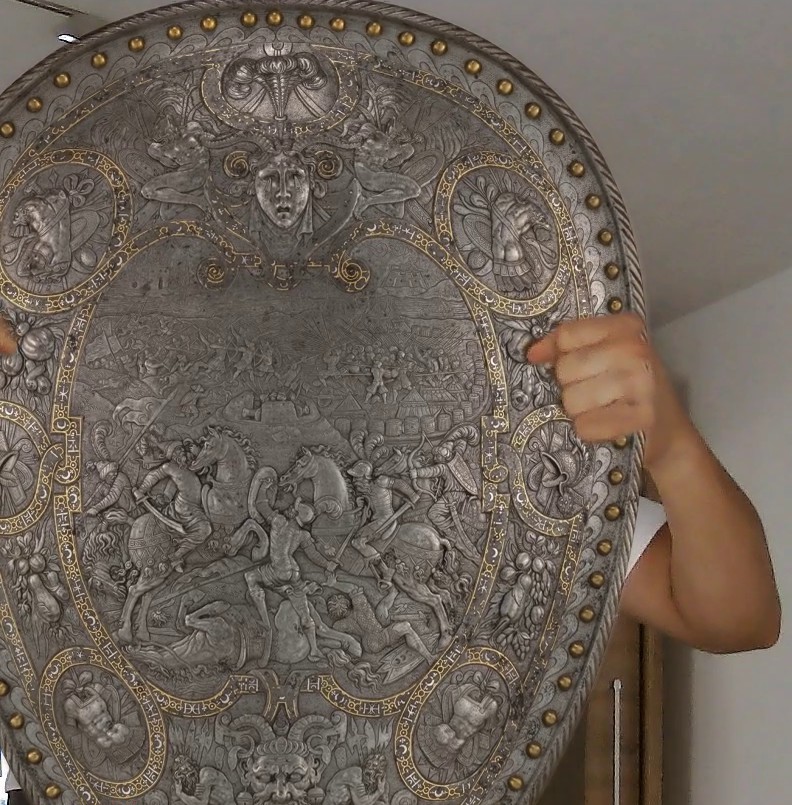
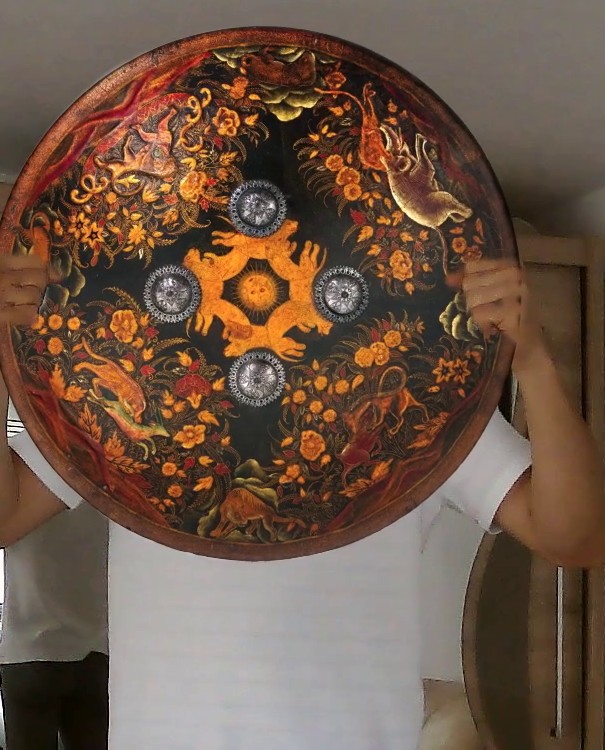
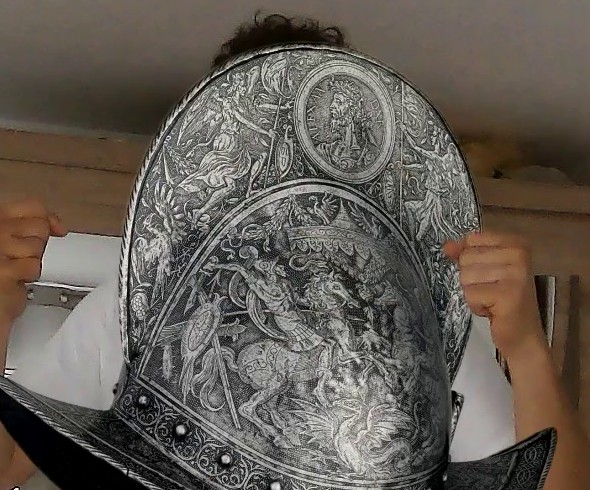
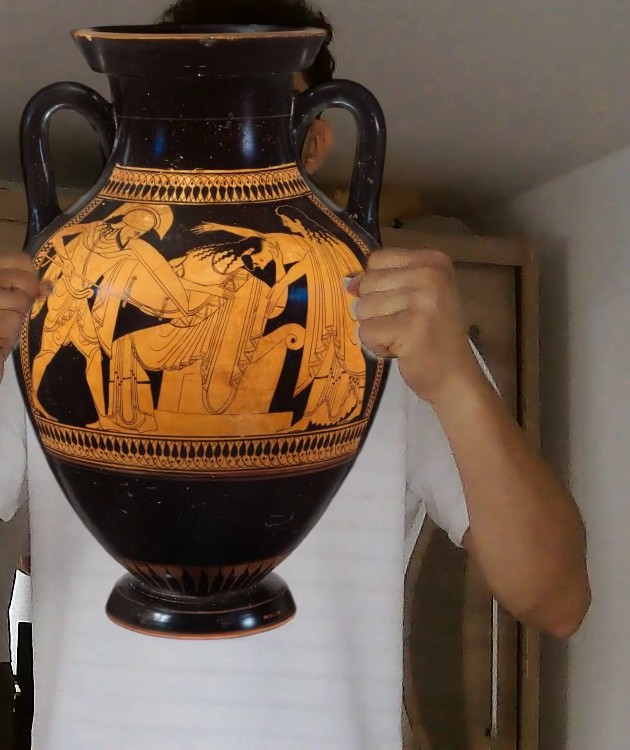
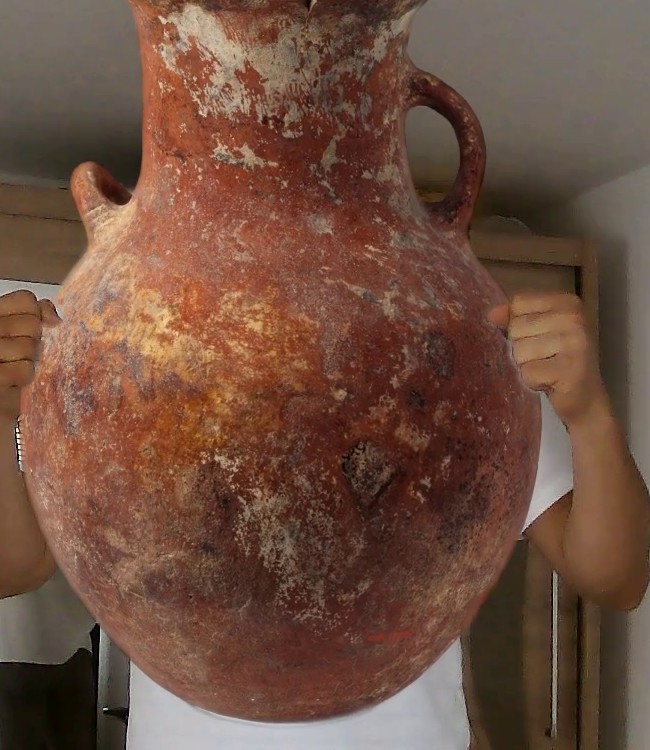
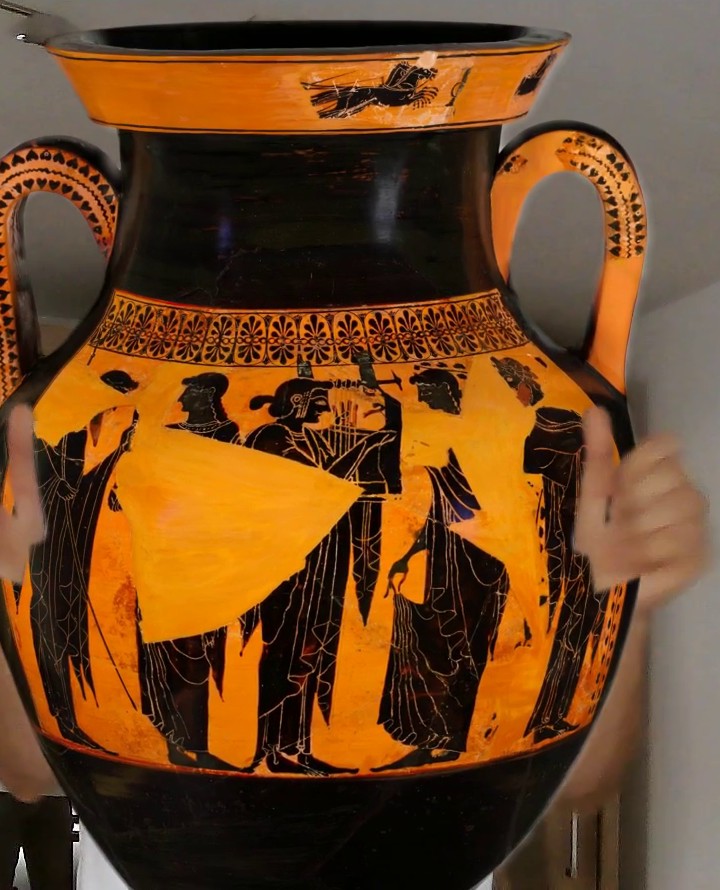
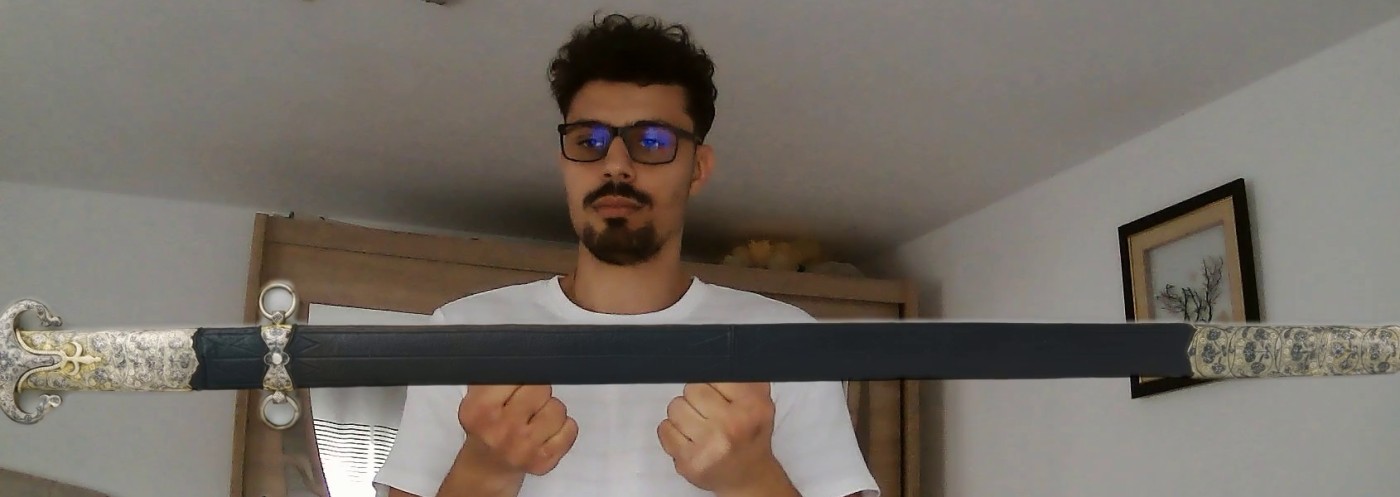
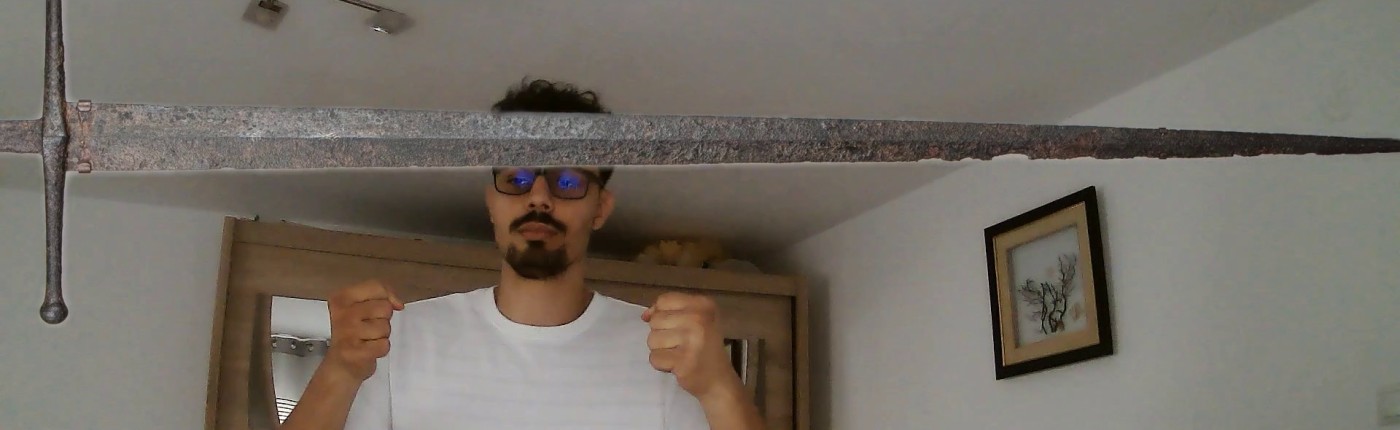
In front of the webcam, whoever holds out their hands gets a museum object in them, at its real size, harmonized with the camera image, in real time and in Full HD (~30 frames per second on an RTX 2060, as many as the camera gives), while the action classifier of Module 1 runs in parallel. Every person gets their own objects:
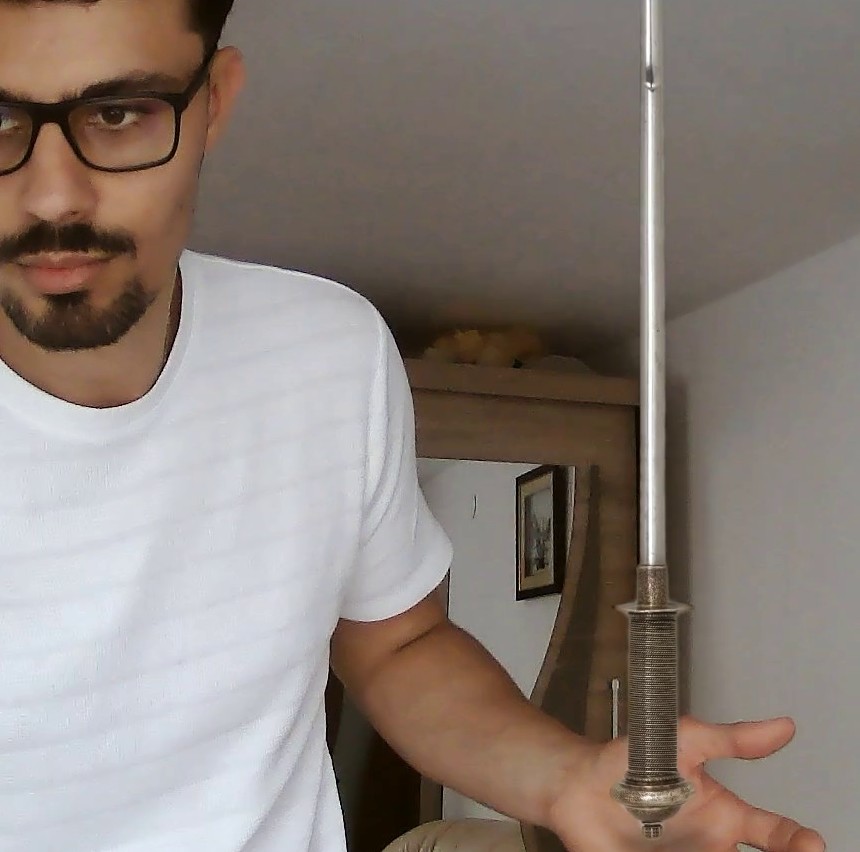
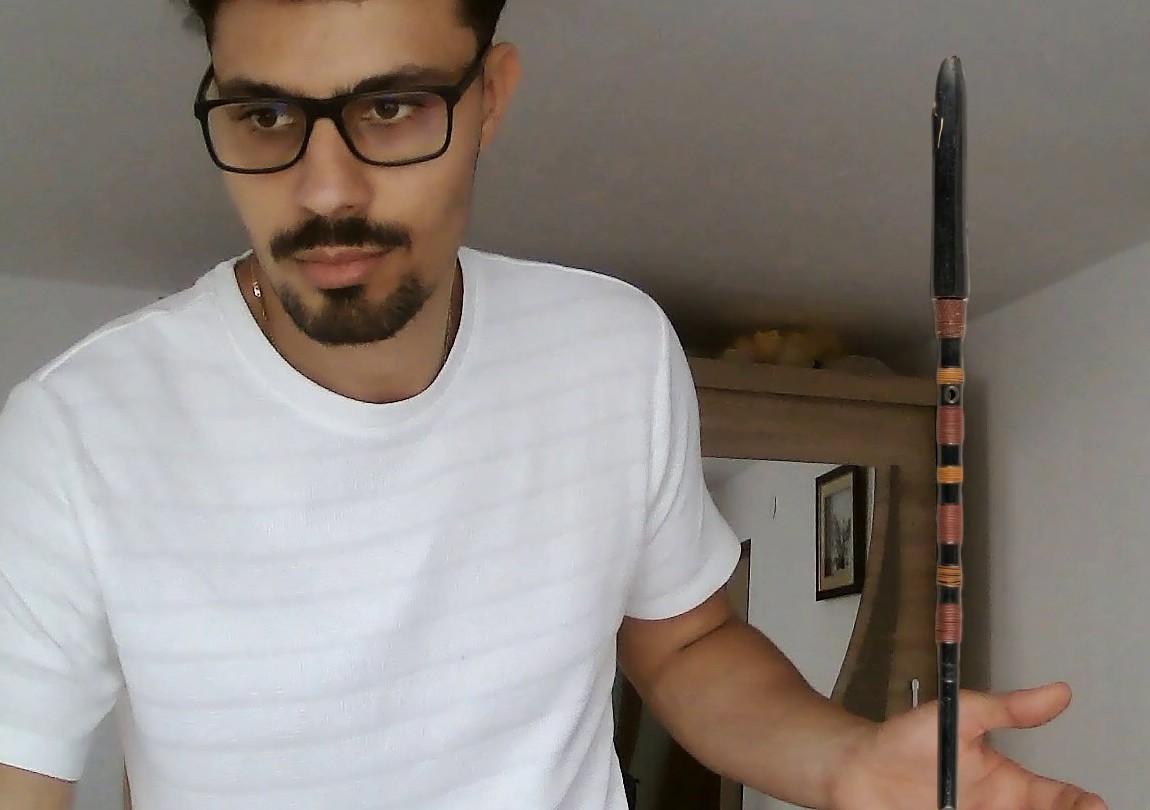
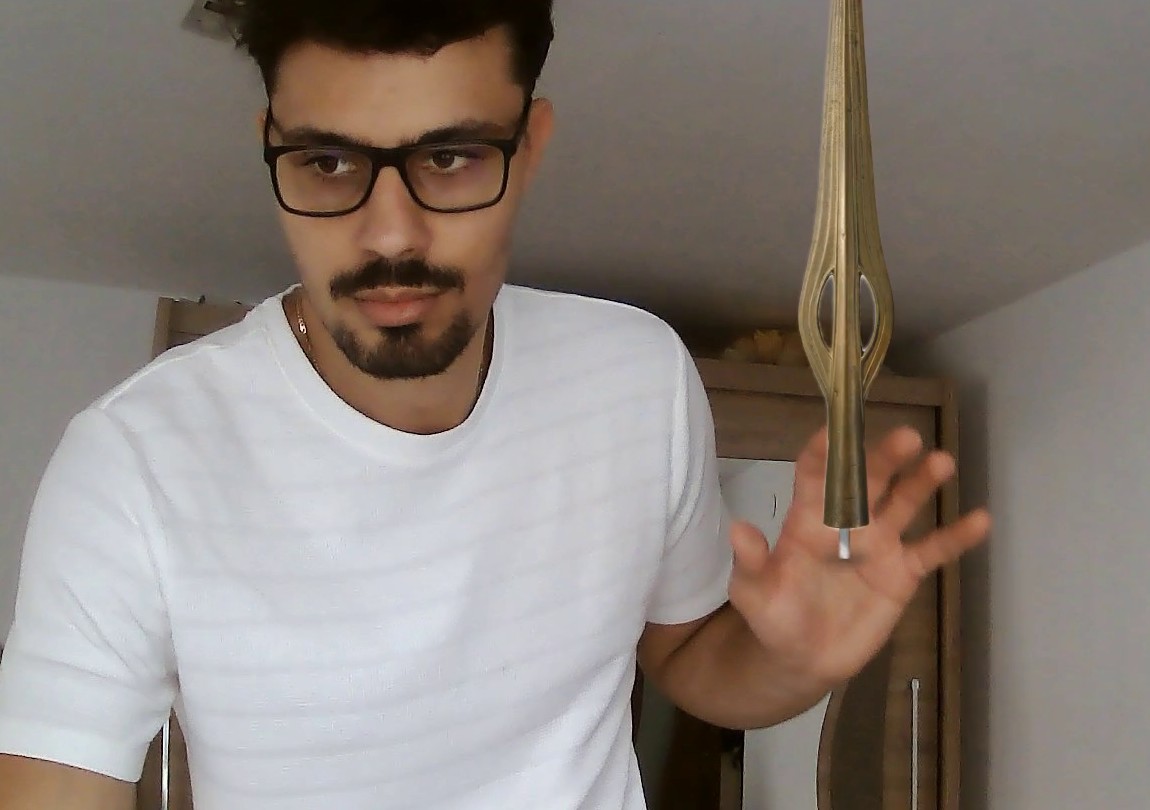
- one hand – a small object (up to 25 cm) on the palm, or a weapon held by its grip (a dagger, a spear, a war hammer); the N and H keys change the object and switch the harmonization on and off;
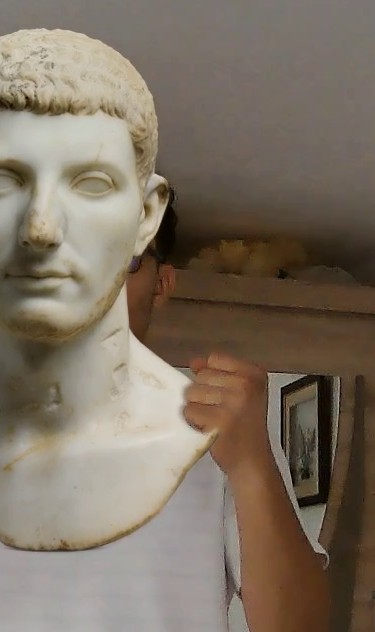
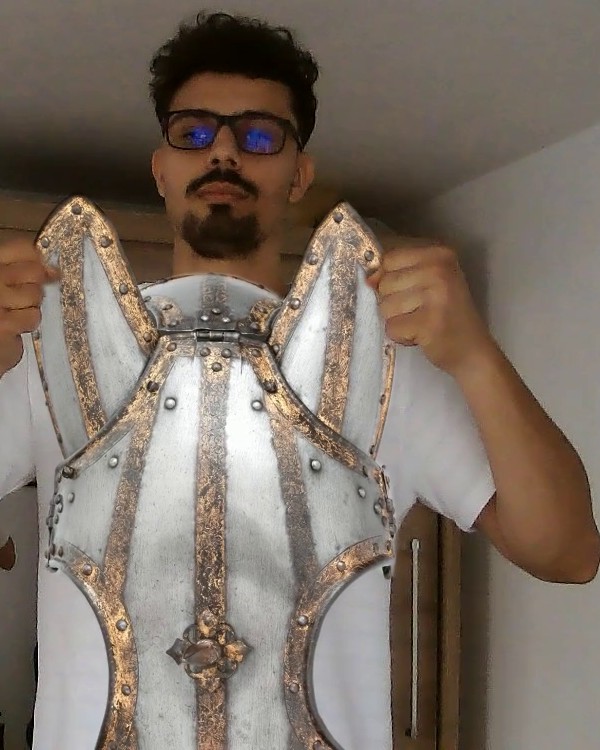
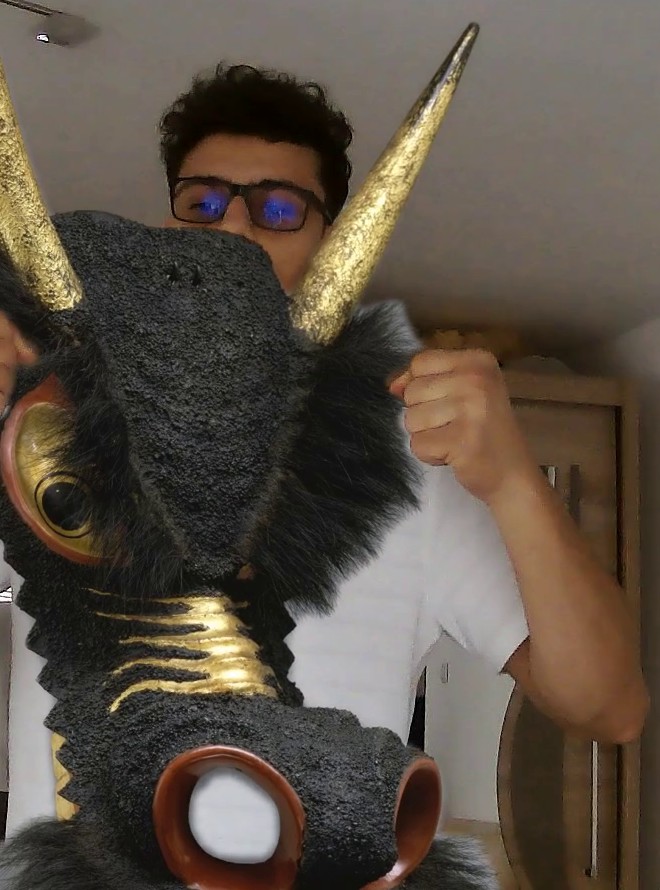
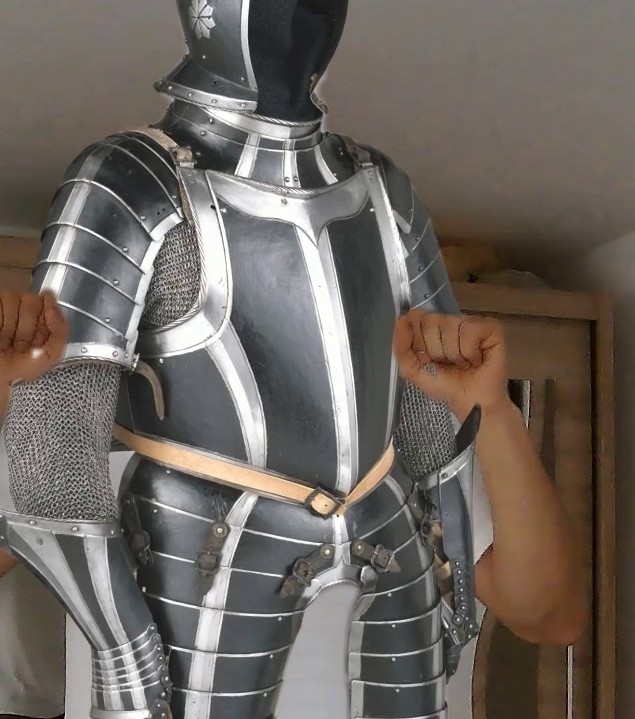
- both hands close together (under 50 cm) – one large object, held at its belly with open palms or by its handles with the fingers closed, or a sword lying across the palms;
- both hands far apart (over 70 cm) – one small object in each hand;
- with both hands up, the objects change by themselves every 4 s, in shuffled order, as if dealt from a deck of cards: every object appears once before any comes again (then the deck is shuffled again), never the same one in both hands and never passed from one hand to the other at the next change, and each one is shown 2 s harmonized and 2 s raw, so that the difference can be seen without any key.
The hands are found with MediaPipe Hand Landmarker (21 points per hand, with 3D coordinates in metres, which give the real scale) and tied to the person they belong to through the MediaPipe Pose skeleton. The objects are cut out once with YOLOv8m + SAM 2.1 + matting; the harmonization runs in a separate process, on the GPU, as a 3×4 colour matrix fitted to the ensemble of networks, plus the camera's grain; the object keeps the sharpness of its photo.
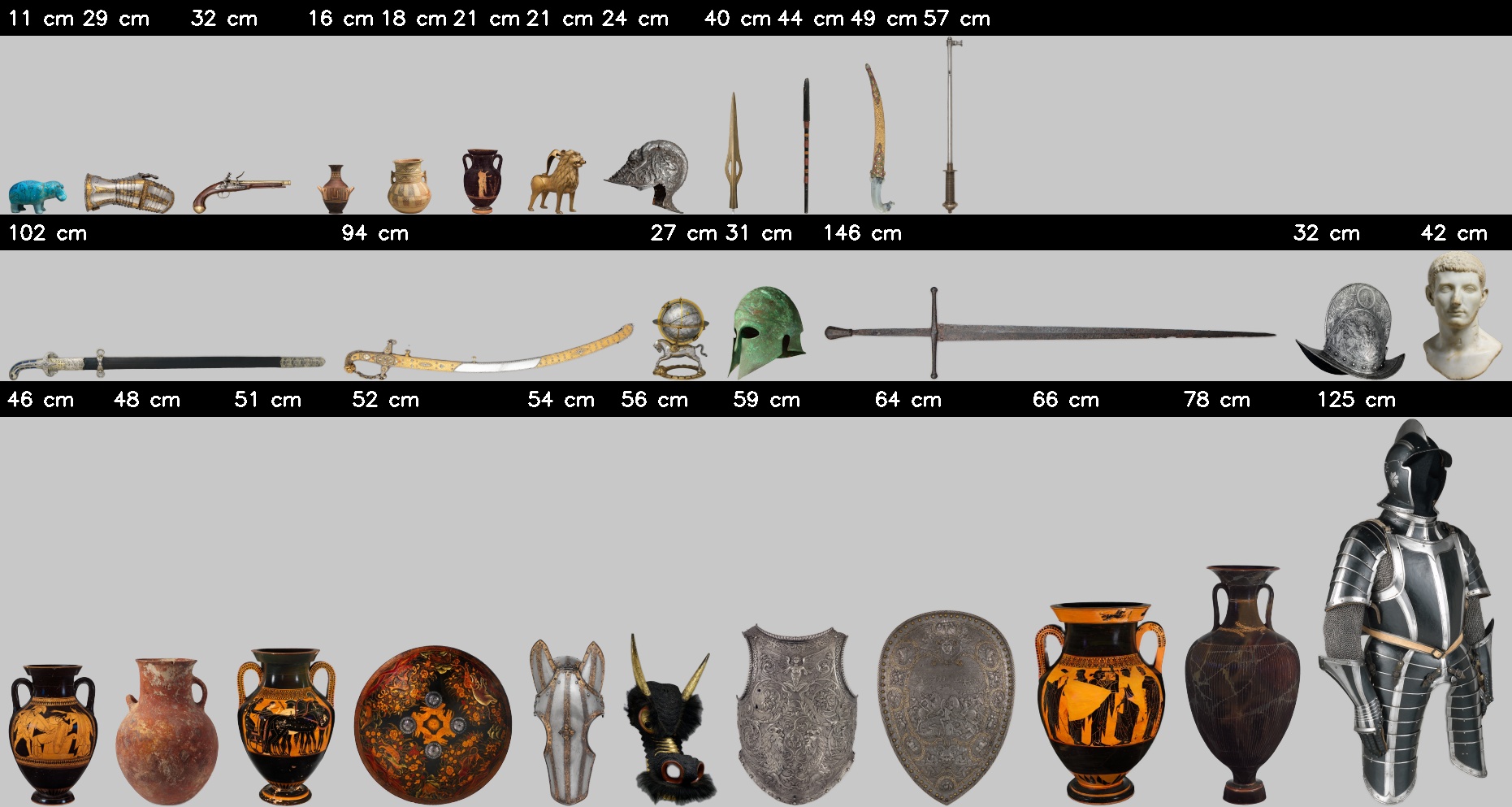
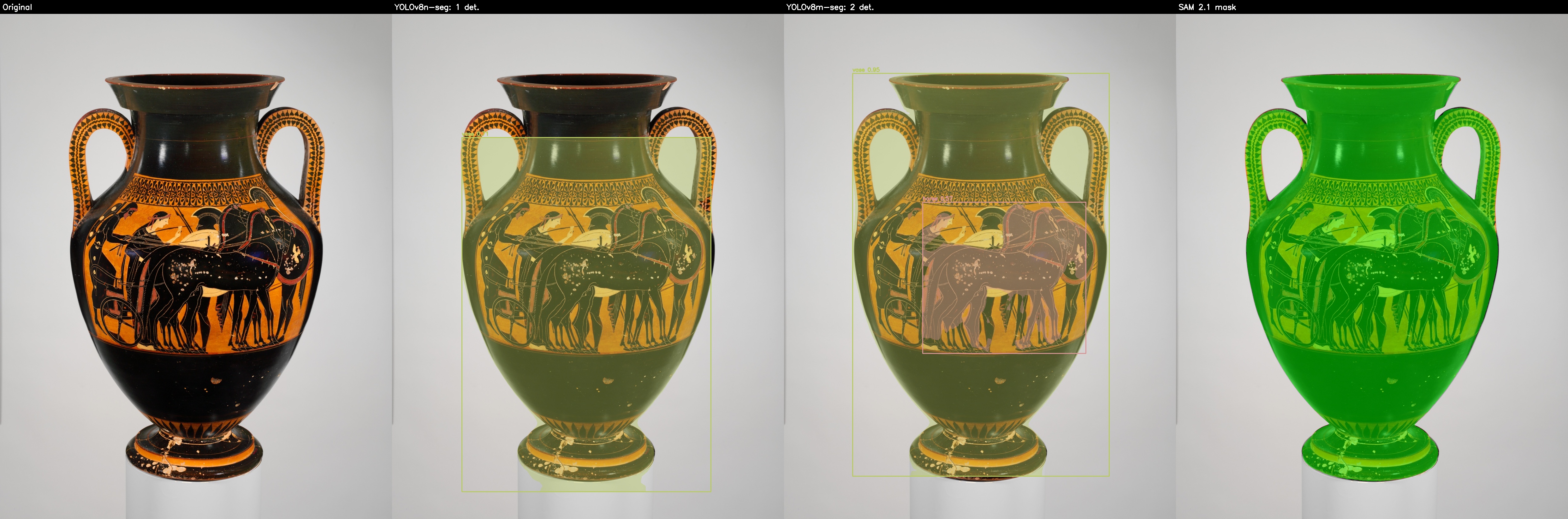
The cut-out also works for objects YOLO does not know (helmets, the breastplate, the bust, the weapons): SAM starts from the largest weak detection in the photo, and where YOLO sees nothing or only a part (the celestial globe: the sphere, without Pegasus and the base; the two-handed sword, the horse-head defences, the armour), the catalog gives the box of the whole object. Small holes that SAM leaves inside an object are filled before the matting, and the soft edge of a cut-out is at most as wide as that of a 1600 px photo: on the 4000 px photos of the swords, the blades would otherwise come out partly see-through. The museum photographs its weapons upright. The swords are turned to lie flat in their cut-outs (the photos stay unchanged), have their real length instead of a height in the catalog and lie across both palms at their full length; the dagger, the spears and the war hammer are held in one hand, standing on the open palm by their lower end or gripped by the handle in a fist. Objects without handles are held in a grip by their widest upper part (the rim of a helmet or of a shield, the ring of the globe), and the bust and the swords as by open hands.
The camera is read at its maximum resolution, Full HD (1920×1080). The hands and the skeletons are found in a 960×540 copy of the frame (the models work on small images anyway), and the objects are drawn into the Full HD image, from cut-outs at the full resolution of the museum's photos (mostly 900–2300 px on the long side; the swords, lying flat, ~3600 px long, from the museum's 4000 px originals), so the incised lines, the engravings and the patterns of the paintings are clearly visible. The grain of the objects is the camera's noise, measured on the Full HD image itself: cameras smooth and compress the image, so their noise does not grow when it is enlarged (the camera used: σ ≈ 0.25 grey levels at 1080p, 0.42 on a 480-row copy).
Real-time drawing. A large vase held close to the camera reaches 1500–1800 px in height, more than the frame. The previous version resized the cut-out in floating point for every new size, and the hands always move, so the size changed almost every frame: drawing such a vase took 62 ms, and the image dropped to 8–10 frames per second. Now the cut-out is prepared once, with its colours extended under the transparent area (pull-push), so that resizing does not bring dark edges in. A vase much smaller than its photo is resized whole with INTER_AREA, as before, and kept while its size and the harmonization do not change; one close to the size of its photo or larger (over ~70%, a large vase held close) is sampled bilinearly every frame, only where it is seen (at these ratios, practically the same as INTER_AREA). The colour is applied once per harmonization update, on the cut-out, and the compositing is done directly in the 8-bit image (blendLinear), in reused arrays. The vases look the same as before (a mean difference of 0.1–0.5 grey levels, a median PSNR of 48–52 dB per vase) and no longer have the dark ring on their edges.
| Full HD, a large vase in both hands, its size changing every frame | Before | Now |
|---|---|---|
| drawing in Python (median / 90% of the frames) | 62 / 189 ms | 8.7 / 12.6 ms |
| drawing in C++ (Release, median / 90% of the frames) | – | 8.6 / 12.1 ms |
| three objects in C++ (Release) | 10 ms | 3.6–4 ms |
| the Python demo, with recording (frames per second) | 8–10 | 25–29 |
| the C++ app, with the camera (frames per second) | – | 27–29 |
The camera gives 30 frames per second; the limit is now finding the hands (MediaPipe, ~25–30 ms per frame), and after many minutes of running, when the laptop's processor heats up, the values drop by a few frames. The status text is redrawn only when it changes (in Full HD, with antialiasing, it cost ~4–5 ms per frame), and the recording passes the frame to ffmpeg without a copy.
The scene's light, the vases' real colours
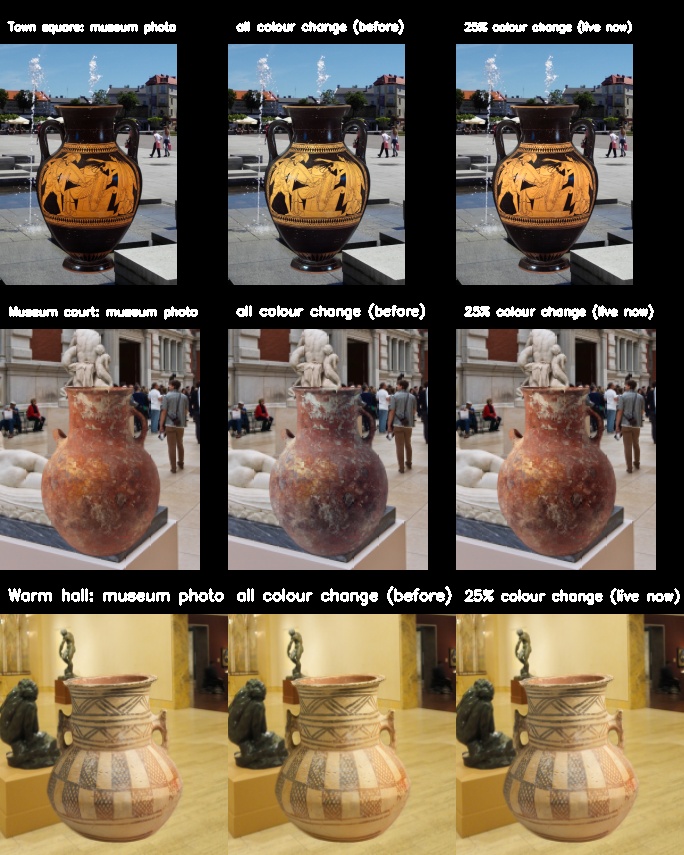
The harmonization networks are trained to repair objects whose colours are wrong, so they pull the object's colours towards the scene's. The museum photos, however, have the right colours; compared with the camera's scene, only the light differs. Applied in full, the networks visibly changed the colours of the vases: they washed them out in a sunny square and turned them yellow in a warm hall. That is why, live, the change of brightness and contrast is taken from the networks in full, but only 25% of the change of colour. The measurements are made with exactly the live code (live_harmony_eval.py), on the harmonization benchmark (30 cases from real photos) and on the 8 vases put into 5 real scenes.
| Share of the colour change taken | fMSE ↓ | fPSNR ↑ | fSSIM ↑ | Vase saturation (mean, min–max) | Vases within ±15% of their real saturation |
|---|---|---|---|---|---|
| no harmonization | 626 | 21.3 dB | 0.876 | 1.00 | 100% |
| 100% (the previous version) | 186 | 26.8 dB | 0.952 | 0.84 (0.29–1.60) | 30% |
| 50% | 201 | 26.5 dB | 0.948 | 0.92 (0.61–1.28) | 58% |
| 25% (default) | 219 | 26.2 dB | 0.945 | 0.95 (0.80–1.14) | 90% |
| 0% (brightness only) | 246 | 25.7 dB | 0.940 | 0.99 (0.95–1.05) | 100% |
Brightness and contrast alone bring 81% of the harmonization's gain on the benchmark (from 21.3 to 25.7 dB, out of 26.8 dB). With 25% of the colour change, the vases practically keep the colours of their museum photos, and in a warm light they still get a warm tint. On the benchmark only 0.6 dB is lost, because there the objects have wrong colours by construction. The colour matrix used live is even slightly better than the networks applied pixel by pixel (26.8 dB vs 26.5 dB): as a global transform, it smooths out their local artefacts.
The painting and inscriptions of harmonized vases
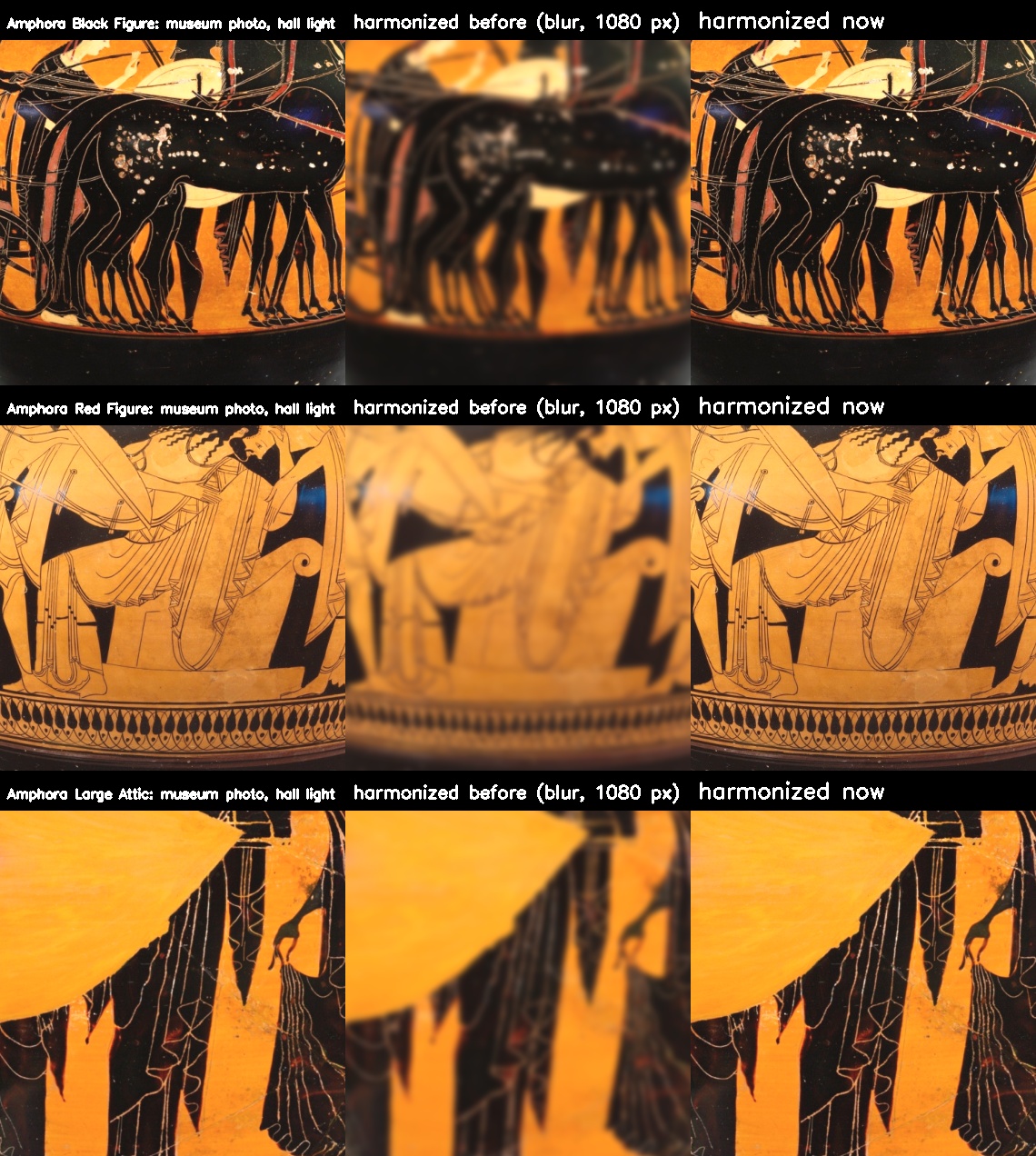
Once harmonized, a vase used to lose almost all its detail: the painting, the incised lines, the inscriptions. The "camera" match blurred it down to the sharpness measured on the hands holding it, but the skin of the hands is smooth and always reads as blurred, so the blur sat at its cap (1.5 px at 480 rows, i.e. 3.4 px in Full HD) in 55% of the updates, with the median right at the cap. The camera, however, is not blurry: measured on the sharpest edges of its own frames, its transitions take 1.25 px (10–90%), less than those of a vase drawn without any blur (1.75 px). So a vase held in the hands, at the same distance as they are, is no longer blurred: the harmonization changes only its light and tone (the colour matrix, with 25% of the colour change) and adds the camera's grain. In addition, the cut-outs now keep the full resolution of the photos (973–1314 px, not cropped to 1080 px), and the two large amphorae, which the hands bring closest to the camera (up to ~1800 px on screen), are made from the museum's originals downscaled to 2400 px (2031 and 2099 px): on screen they are downscaled, not enlarged.
| Vase | On screen | Detail kept before | Detail kept now | SSIM before | SSIM now |
|---|---|---|---|---|---|
| Amphora Small Geometric | 500 px | 6% | 100% | 0.51 | 0.999 |
| Amphora Small Cypriot | 500 px | 9% | 100% | 0.61 | 0.999 |
| Amphora Small Etruscan | 500 px | 5% | 100% | 0.59 | 0.999 |
| Amphora Red Figure | 1000 px | 5% | 113% | 0.60 | 0.995 |
| Jar Terracotta | 1000 px | 6% | 114% | 0.53 | 0.994 |
| Amphora Black Figure | 1000 px | 5% | 111% | 0.59 | 0.996 |
| Amphora Large Attic | 1500 px | 7% | 110% | 0.70 | 0.996 |
| Amphora Large Apulian | 1500 px | 7% | 115% | 0.69 | 0.995 |
Measured with live_harmony_detail.py: every vase at the size it has in the Full HD demo (one hand ~500 px, two hands ~1000 px, a large amphora held close ~1500 px), in the light of a warm museum hall (the matrix the live harmonization fits there), compared with the museum photo in the same light: the fine detail kept (the energy of the Laplacian, 100% = the photo's) and the structural similarity (SSIM) of the brightness. Over 100% means that the bilinear sampling of large vases seen up close is a touch sharper than the reference filter.
In the C++ app
The Qt/C++ app shows the objects exactly like the Python demo, with the same rules, automatic rhythm, harmonization and keys (H, O, N, D, S, Q), next to the action recognition, also in Full HD. Python (pose_server.py) does the perception and the decisions, with the same code: the hands, the people, which object appears, where and how it is held, and the harmonization. For every frame, it sends the description of the objects (cut-out, size, position, way of holding, the 3×4 colour matrix, the sharpness and the noise). C++ (object_renderer.cpp) composes the image step by step as in Python, on the very frame in which the hands were found, so that the objects do not lag behind them.
| C++ compositing vs Python (same scene, three objects) | Pixels drawn | Maximum difference | Pixels differing by more than 1 |
|---|---|---|---|
| harmonized (blurring, sharpening, no change of sharpness) | 48,036 | 2 / 255 | 4 |
| raw (the H key) | 48,054 | 0 | 0 |
| the raw phase of the automatic rhythm, for one object | 48,038 | 1 / 255 | 0 |
| Full HD: the scene in the small copy, the objects drawn at 1080 rows (harmonized) | 243,316 | 1 / 255 | 0 |
| Full HD: a large vase close to the camera, 1569 px, taller than the frame (harmonized and raw) | 519,196 | 0 | 0 |
The test scene contains all three ways of holding (on the palm, with a shadow; at the belly and by the handles, with the hands in front of the object), partial opacity and an object cut by the edge of the frame; the differences of 1–2 levels (4 pixels out of 48,000) come from rounding. The sensor noise added by C++ has the requested deviation (3.98 measured, for 4). Drawing the three objects takes ~0.9 ms at 640×480 and ~4 ms in Full HD (Release); with the camera, the app shows ~27–30 frames per second in Full HD, also with the objects in hand (the camera gives 30; fewer after many minutes of running, when the laptop's processor heats up). The Python server has two frames at a time: while it finds the hands in one, the next one is already read and decoded, and C++ prepares the frame after it while it draws the answer.
Along with the integration, tying the hands to people became robust to the moments when the skeleton model loses a person. A person lost for a moment keeps their identity, and a hand whose body is missing in a frame stays with the person it belonged to. Synthetic scenarios of 5 s each, with the same hands and skeletons, the previous logic vs the new one:
| Scenario | Previous logic | New logic |
|---|---|---|
| one person with both hands, the skeleton missed every 3rd frame | the large object missing in 45 of 134 frames | shown in every frame |
| one person with both hands, the skeleton missed 2 frames out of 3 | 86 changes of the objects shown | 2 (only the automatic rhythm) |
| one person, the skeleton lost for 1.3 s | 3 successive objects (a new identity) | the same object, the rhythm continues |
| two people side by side, one hand each, one of them missed every 3rd frame | their hands form a pair (one shared object) in 89 frames | never: one object each |
| two people with both hands, missed in turn | at most 1 object for both of them, 86 changes | one object each, 2 changes |
The filmed demo
Frames from the recording of the live objects-in-hands demo, in Full HD (4 min 27 s, 15 October 2026), made with the command:
python ar_objects.py --out demo.mp4 --cycle 6 --alternate 3Every image is a frame of the video, chosen among the sharpest ones and cropped only at the edges: without the app's status bar and without the rest of the room. The objects are drawn by the app in real time, at their real size. With both hands up, every object stayed 6 s in the hands (3 s harmonized and 3 s raw, with the harmonization on); the label shows the phase of each frame. The images open at full size with a click.
Harmonized and raw, at the same moment
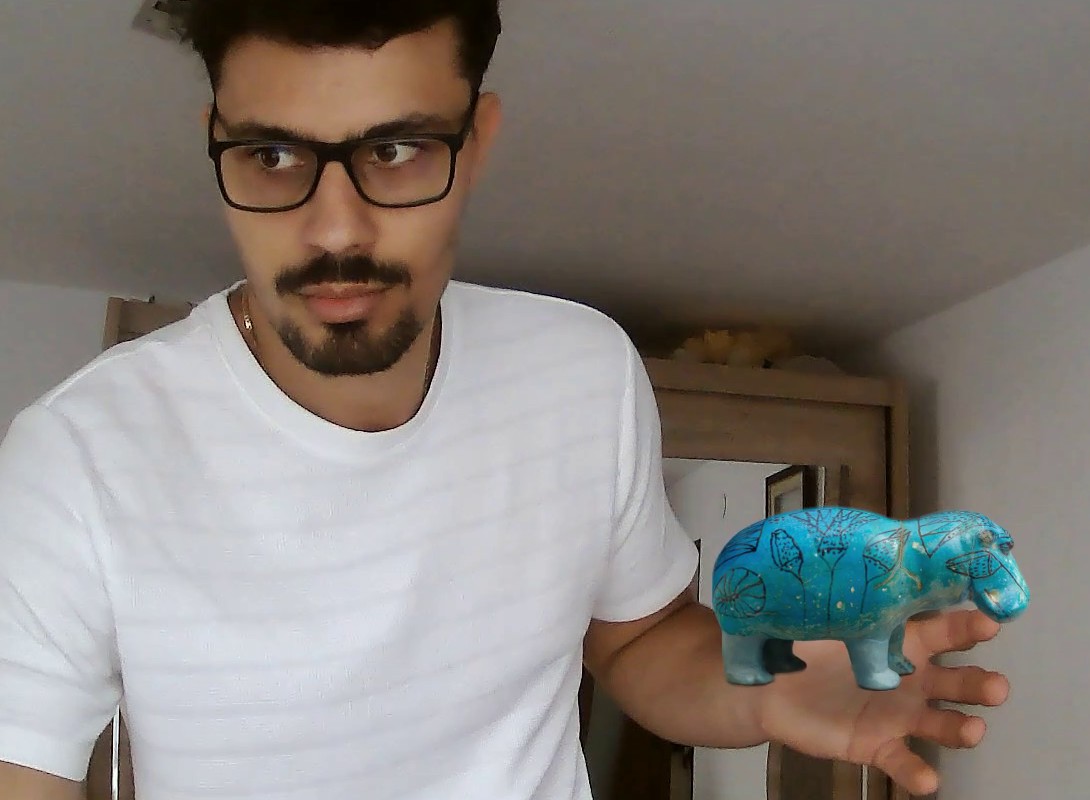
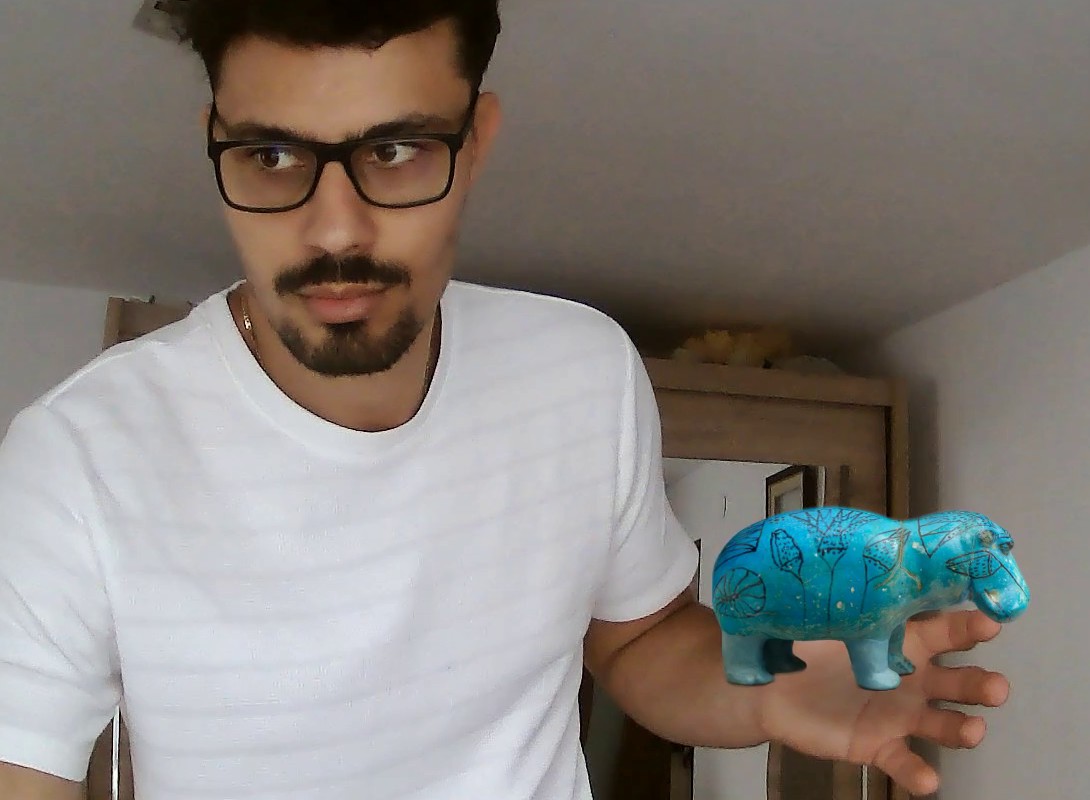
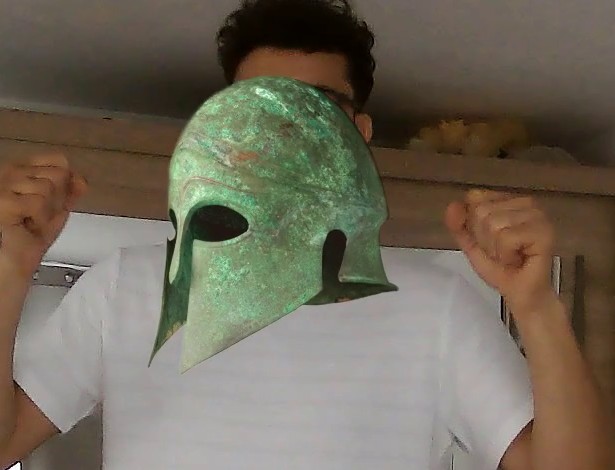
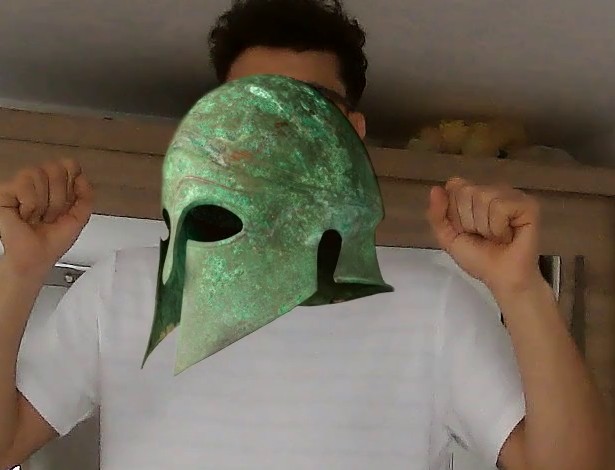
The difference comes from the scene's light: the harmonization takes on the light and contrast of the camera image and only a quarter of the colour change, and the grain of the object is the camera's noise; the painting and the details remain those of the museum photo.
In one hand
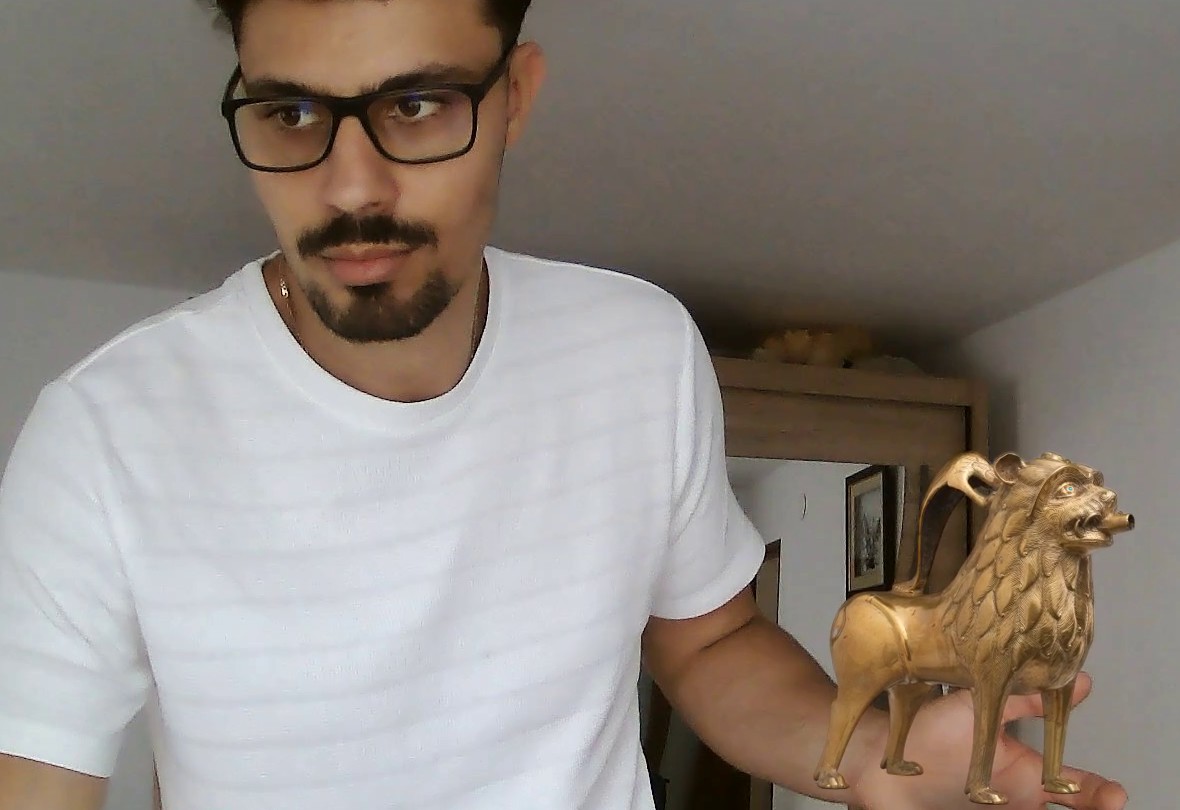
One object in each hand
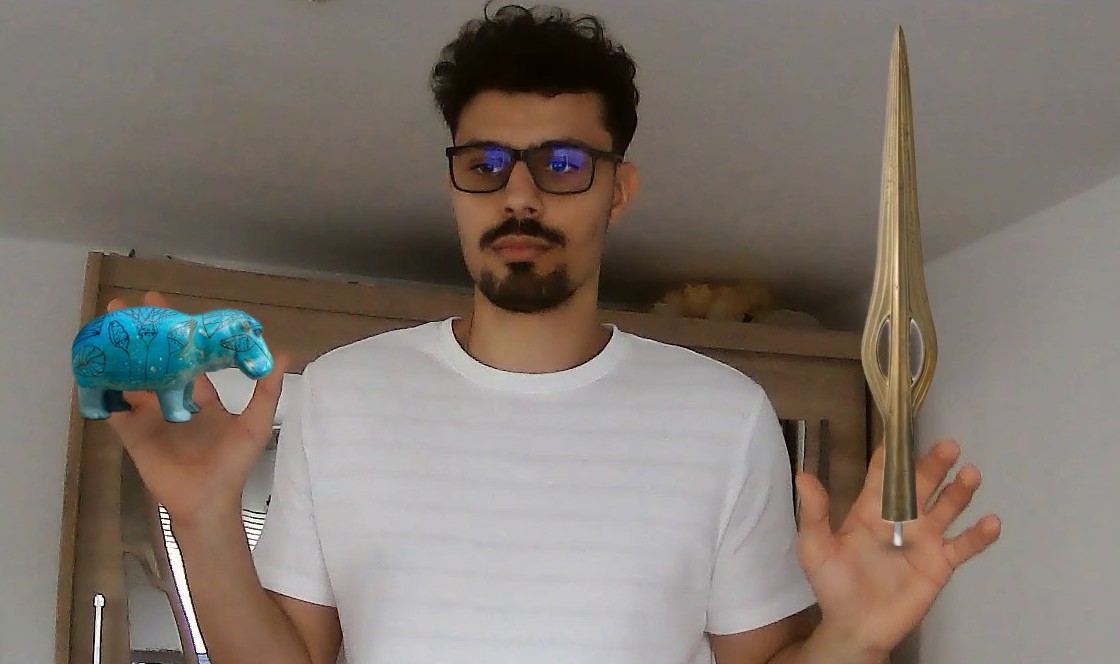
With both hands
Module 2 – The new photos
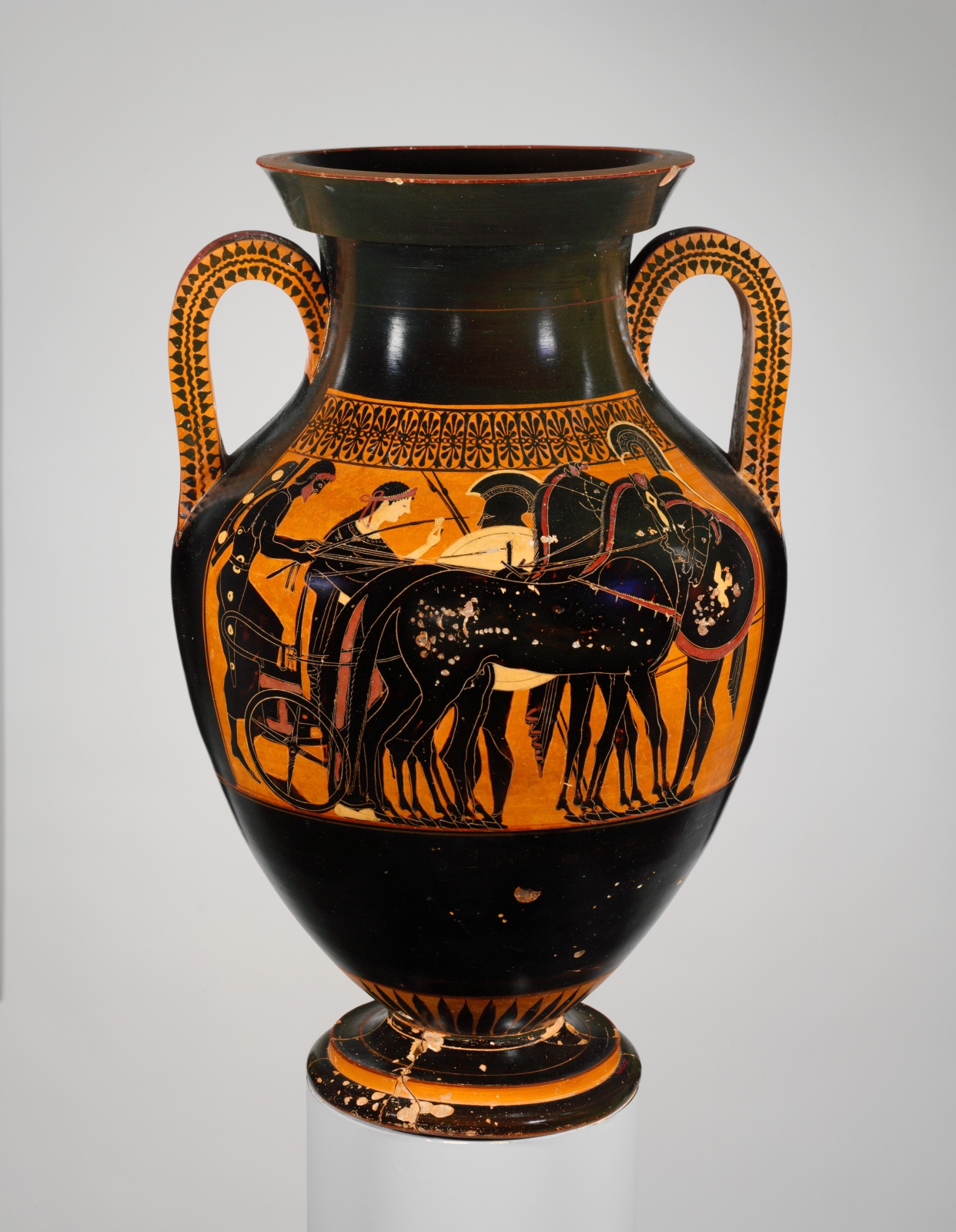
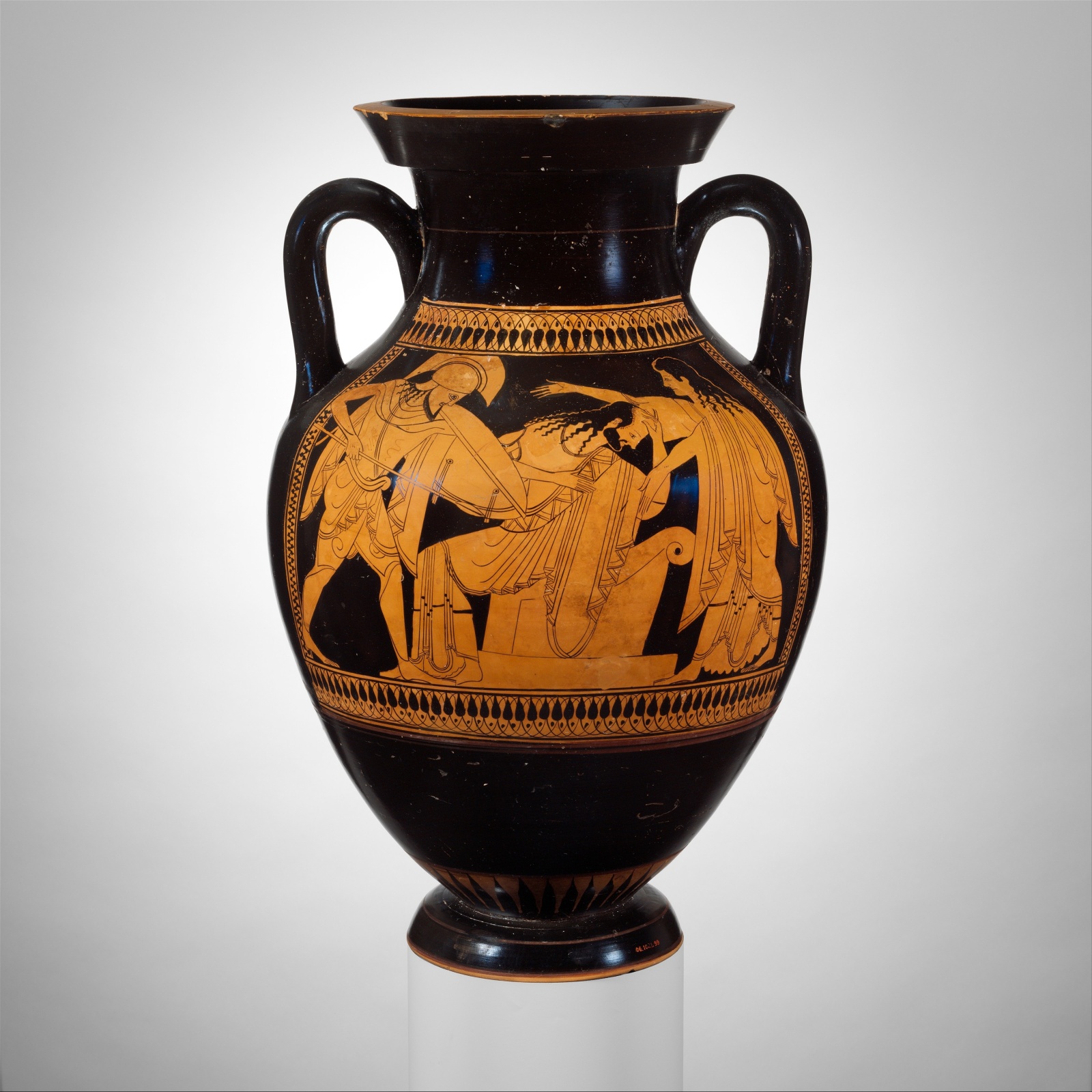
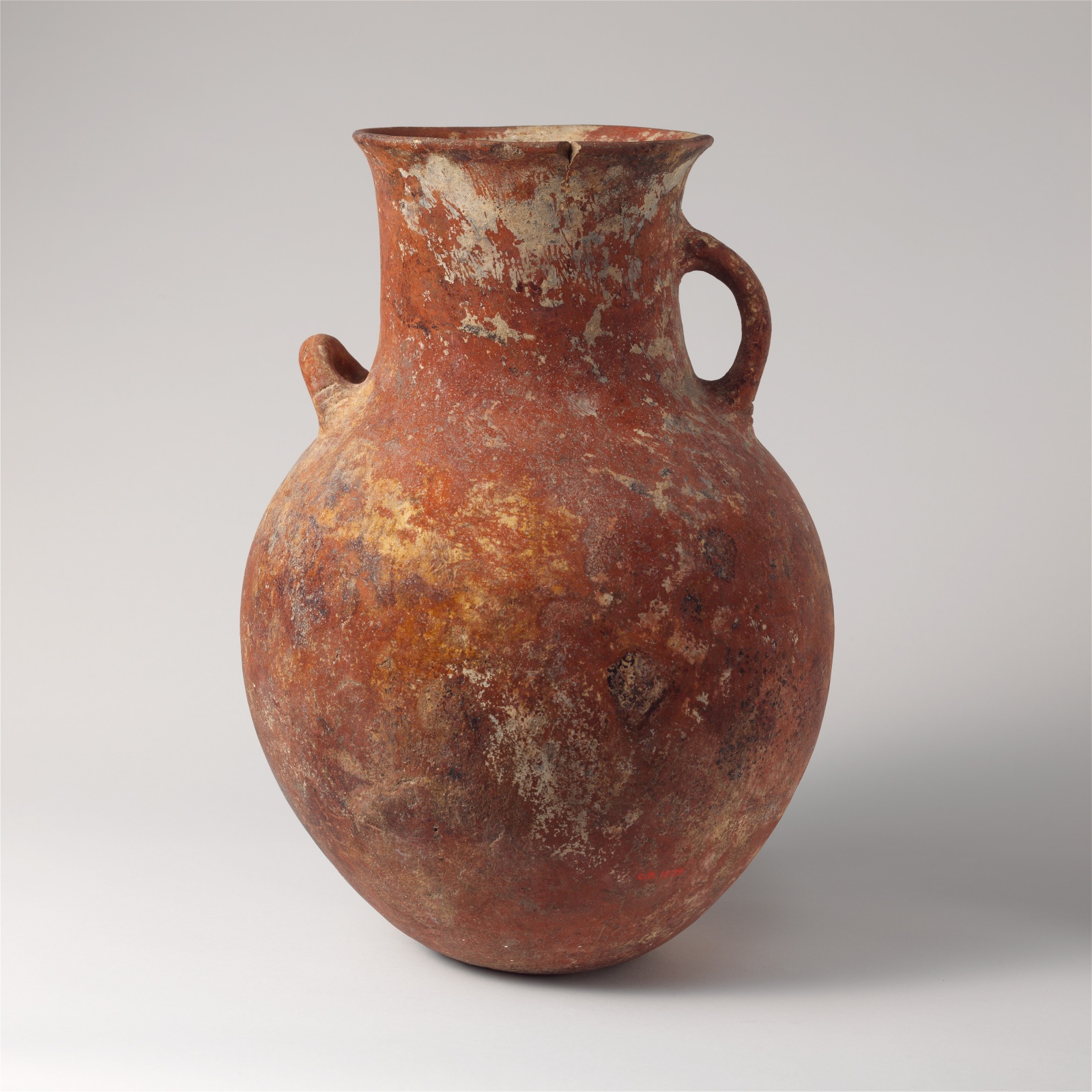
The old photos (low resolution, a vase photographed through a showcase) were replaced with studio photos of real vases from the Open Access collection of The Metropolitan Museum of Art – with a known real height, needed for the automatic scale – and with photos of museum halls from Wikimedia Commons, all reusable in academic work. The author and the licence of every image are in photos/CREDITS.md.
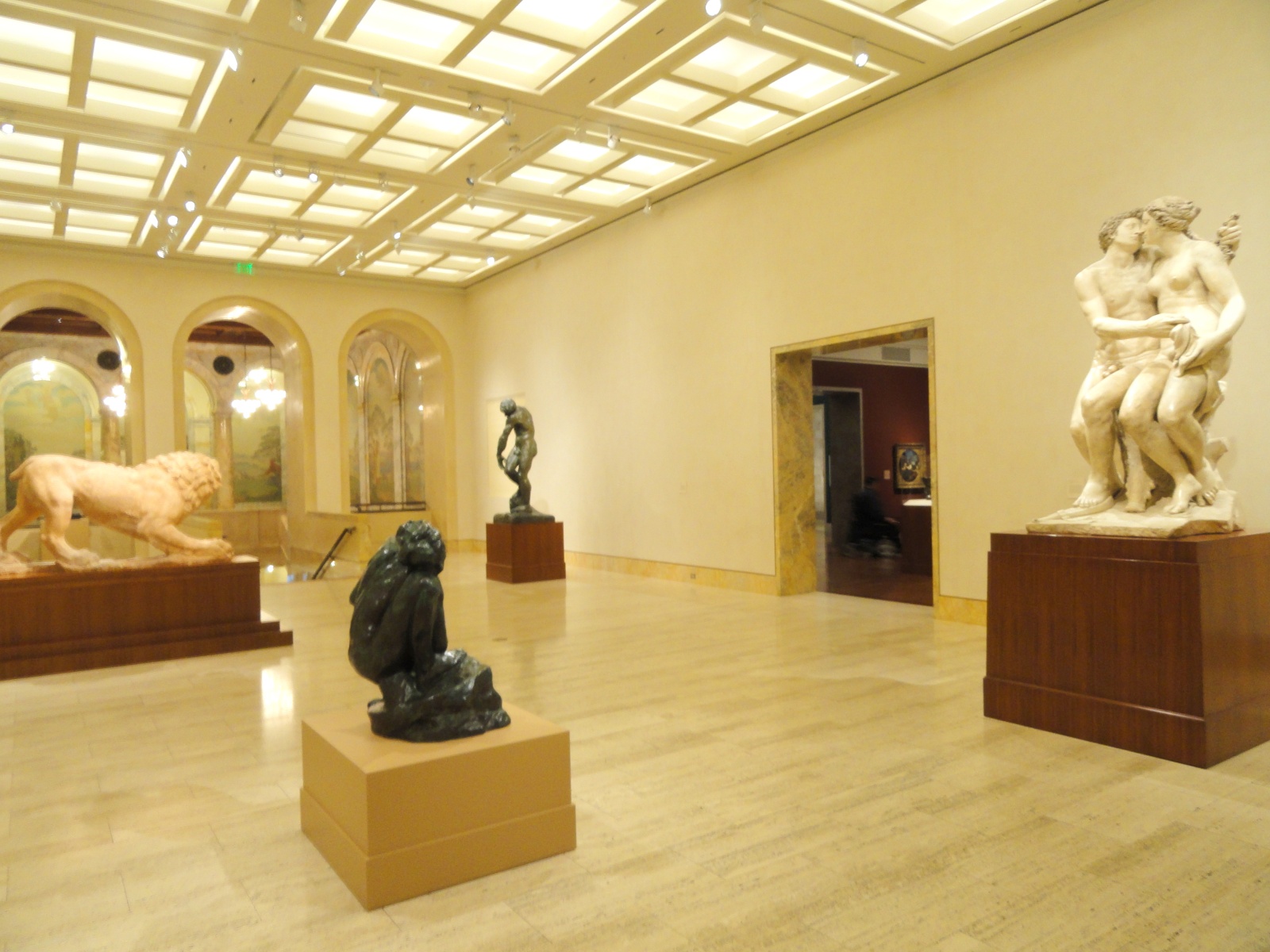
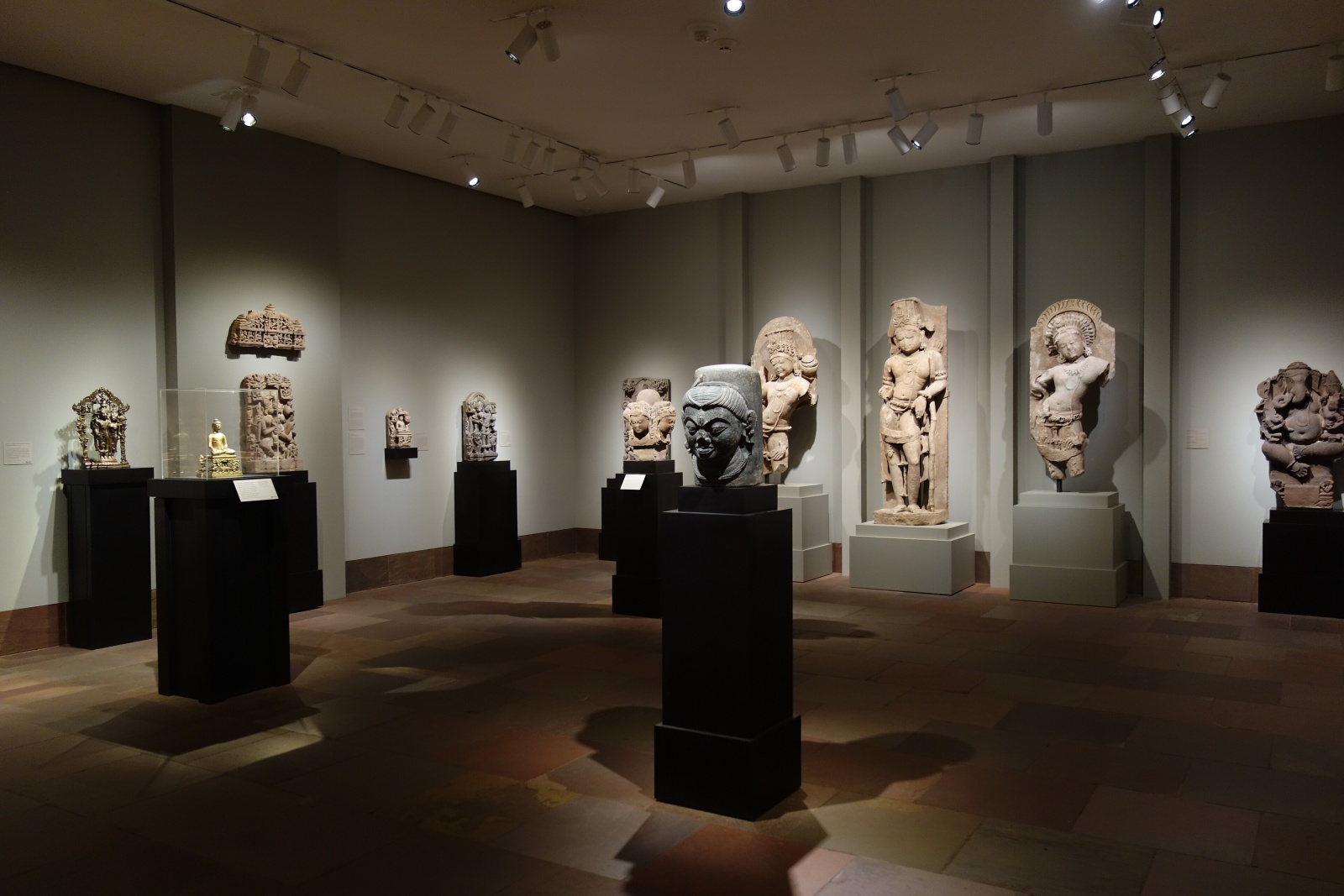
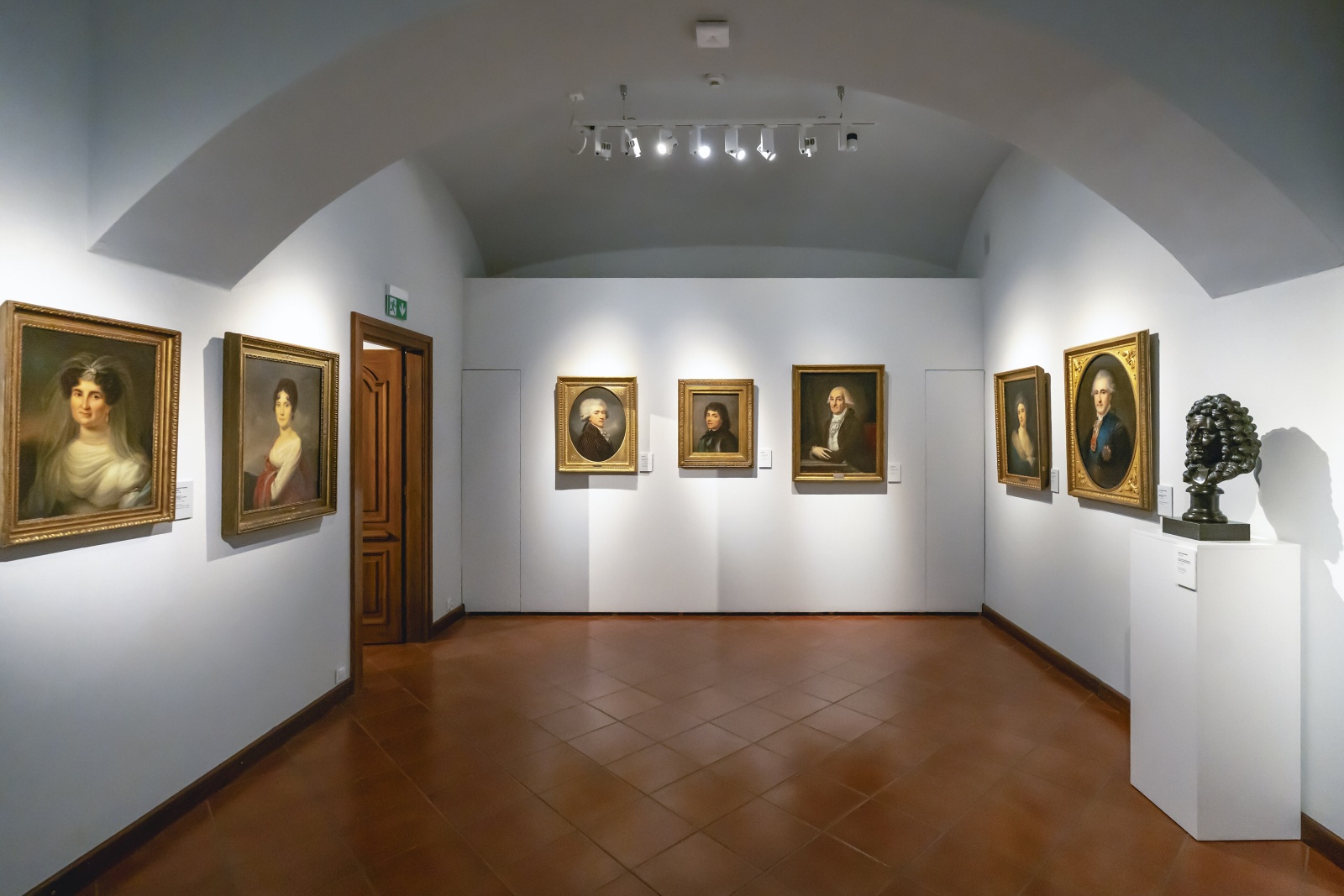
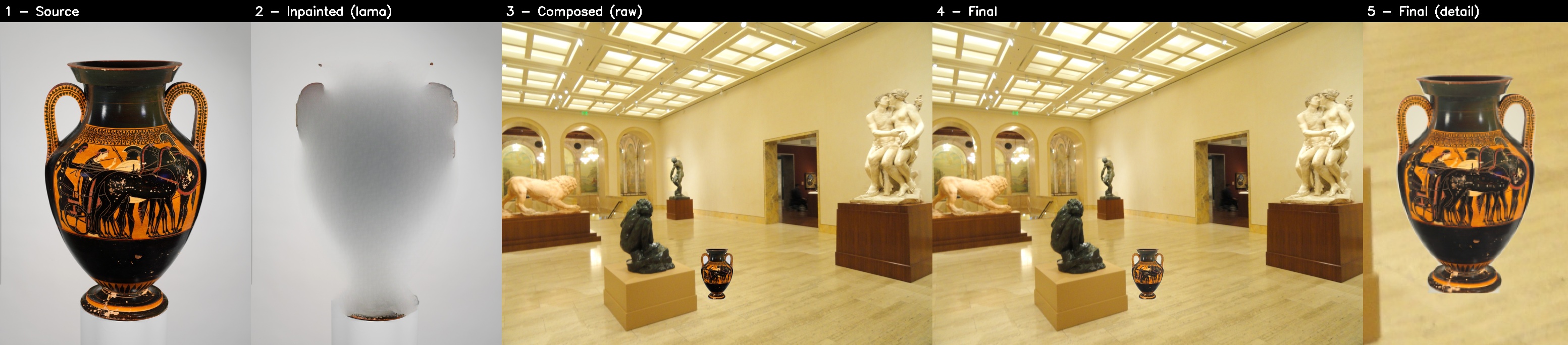
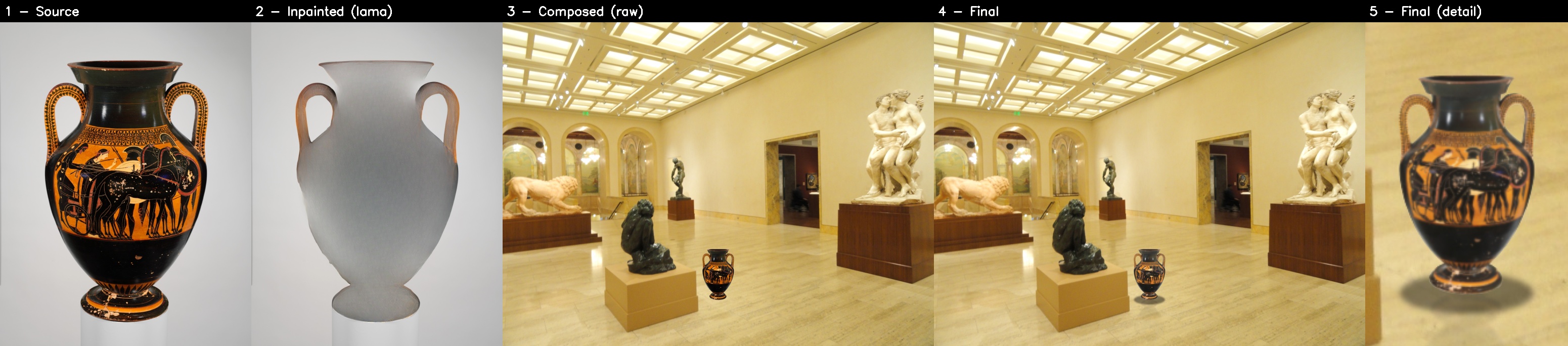
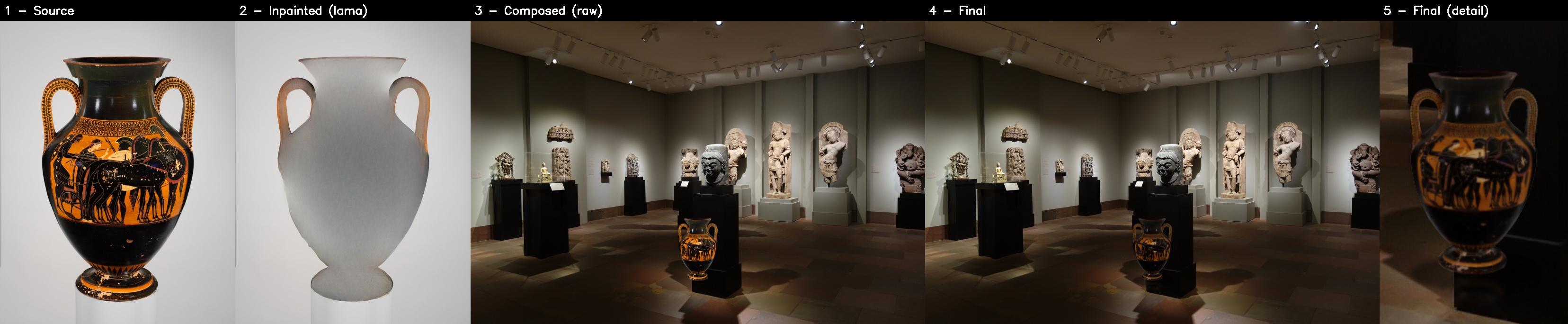
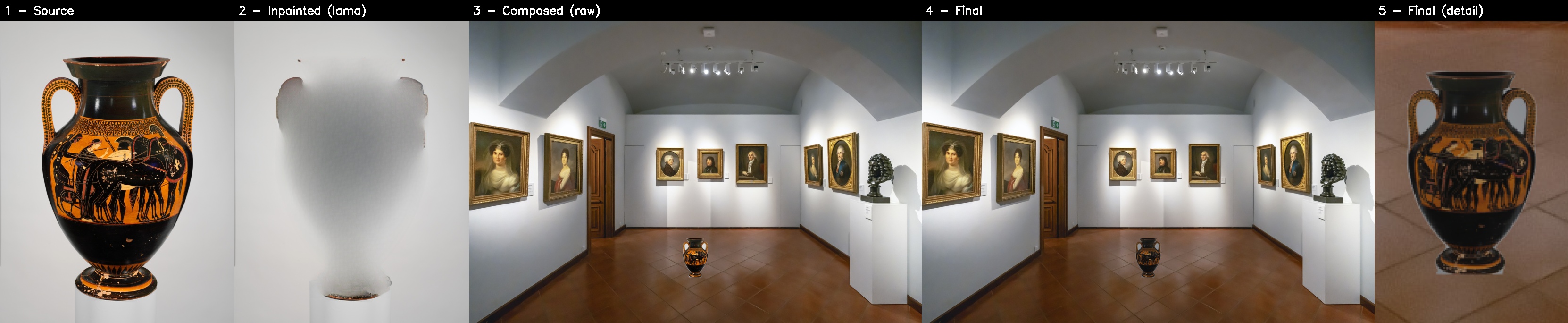
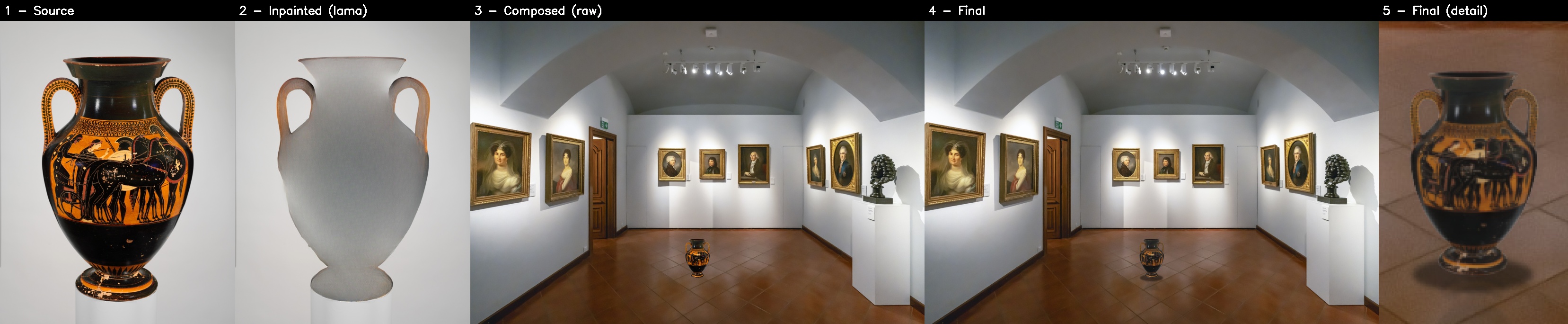
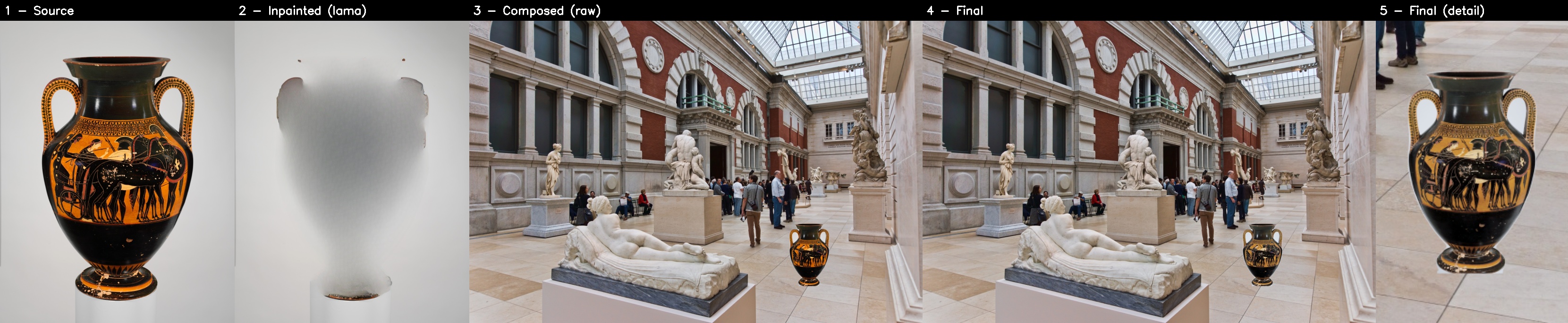
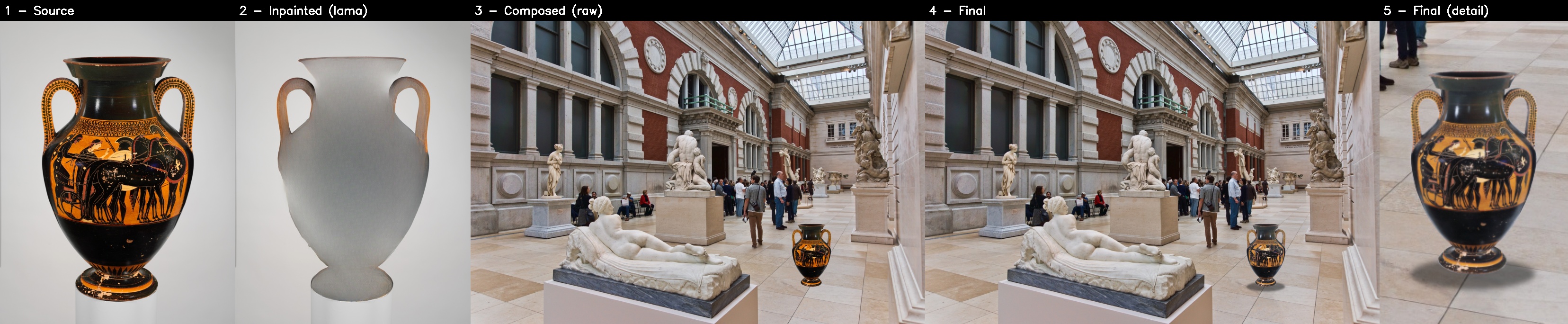
Composition: the previous version vs the new one
For the moved object to look as if it belongs in the picture, the new pipeline deals with every cue by which the eye recognizes a composite:
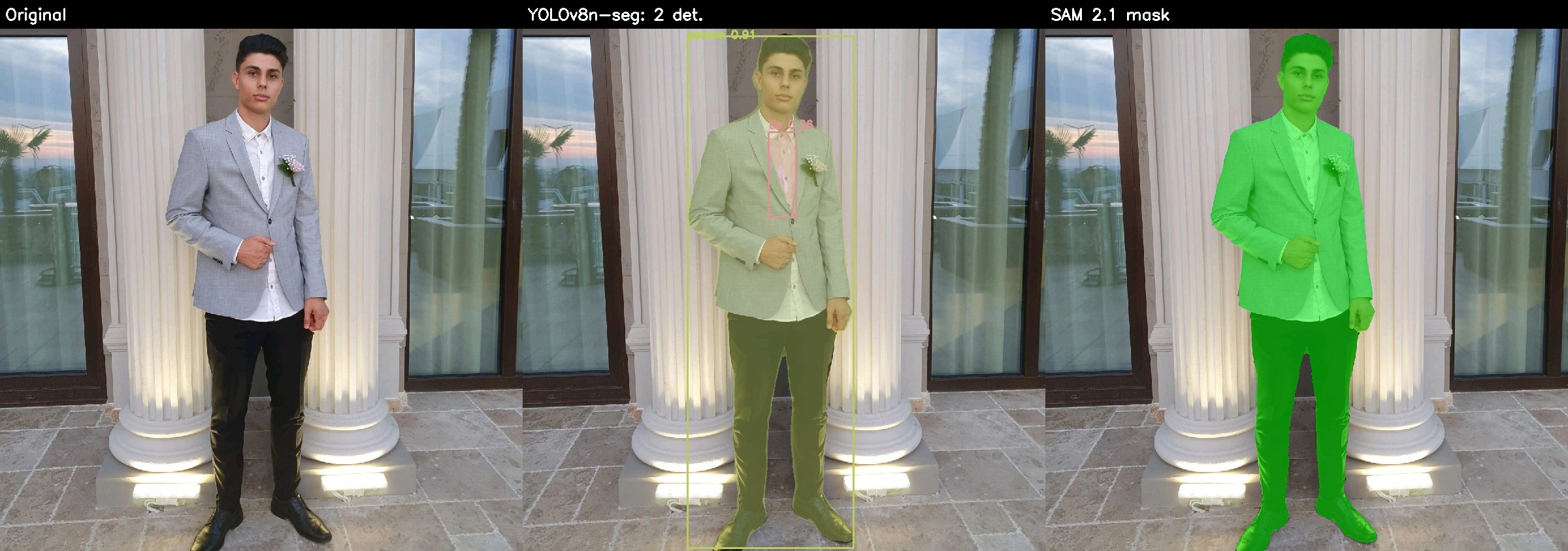
- Precise cut-out – SAM 2.1 starts from the box YOLO finds and follows the exact shape of the object (handles, contour), leaving the base out.
- Natural edges – matting with a guided filter, and the edge colours cleaned of the old background (no "halo").
- The right size and perspective – Depth Anything V2 gives the distance in metres; the object's real height gives its size in the image, and the floor plane gives the perspective of the shadow.
- Detail – Real-ESRGAN restores the detail when the object has to be enlarged.
- Colour and light – the mean of three networks trained on iHarmony4 (Harmonizer, PCT-Net ViT, PCT-Net CNN).
- Sharpness and noise brought to the level of the scene.
- A reflection in the glossy floor and a contact shadow in the floor's perspective.
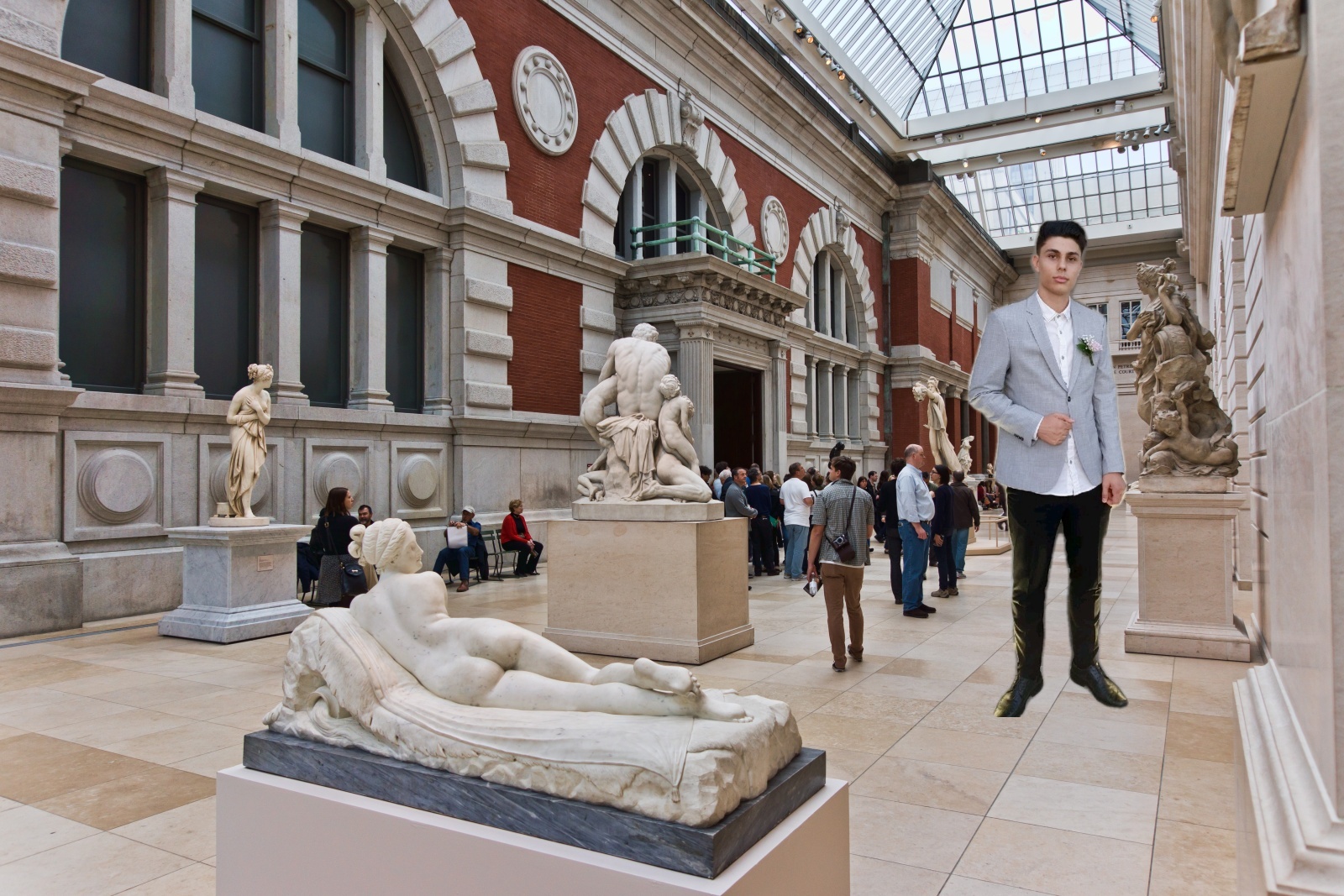
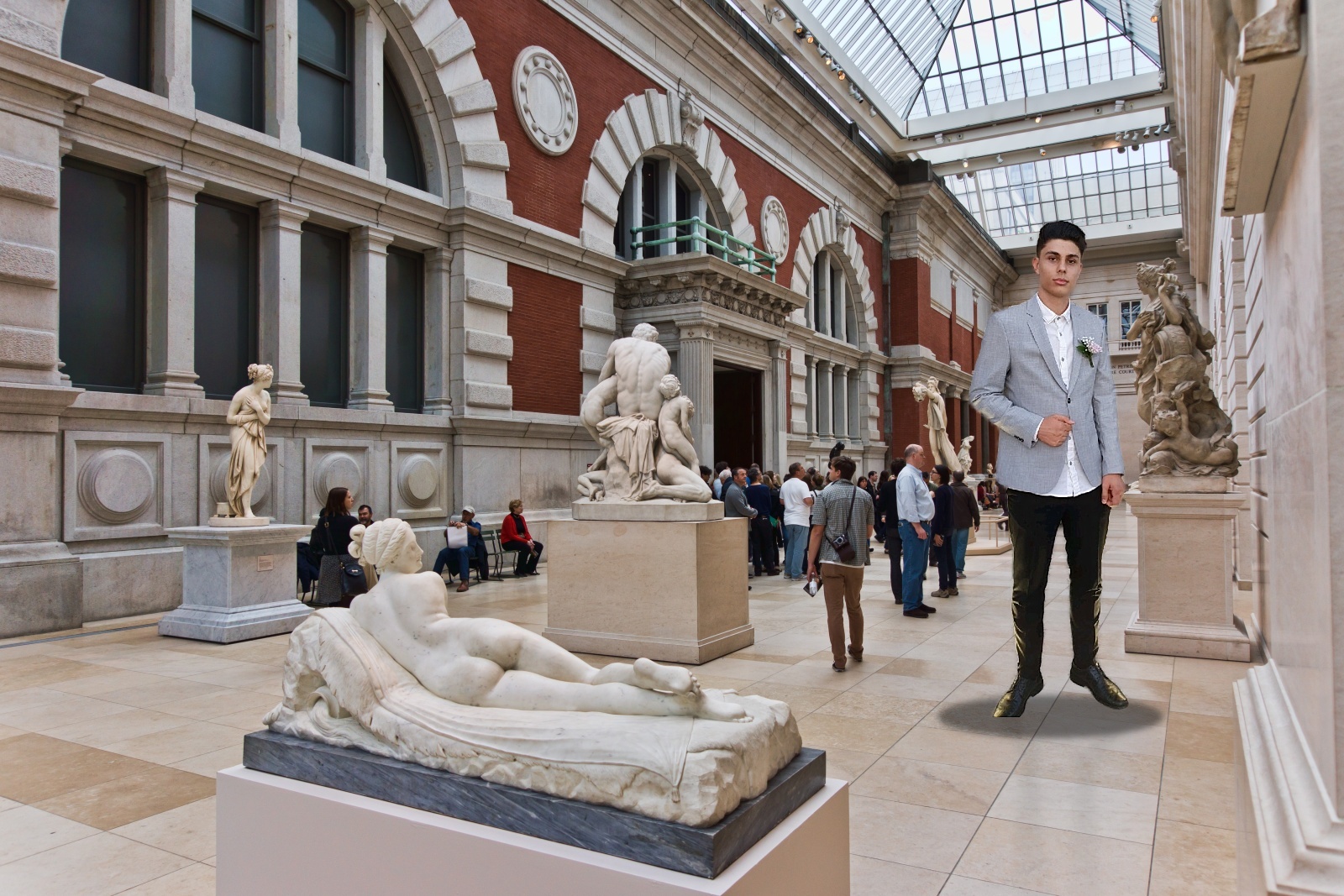
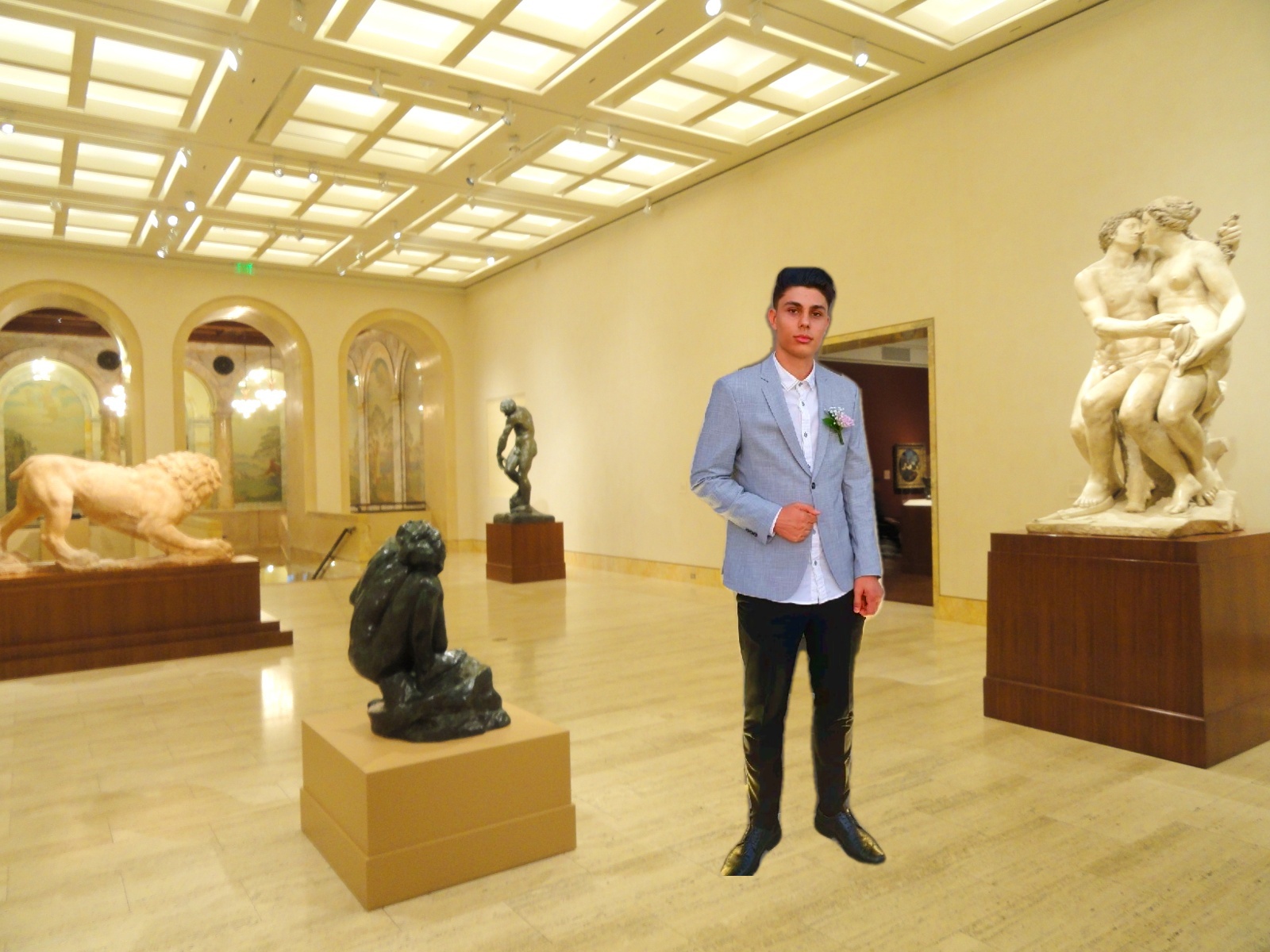
In each pair, the top image is the previous version (YOLO mask, blurred edge, Harmonizer, no super-resolution, reflection or shadow), at the same size and position; the bottom one is the new version. The last panel enlarges the area of the object.

The person in three scenes
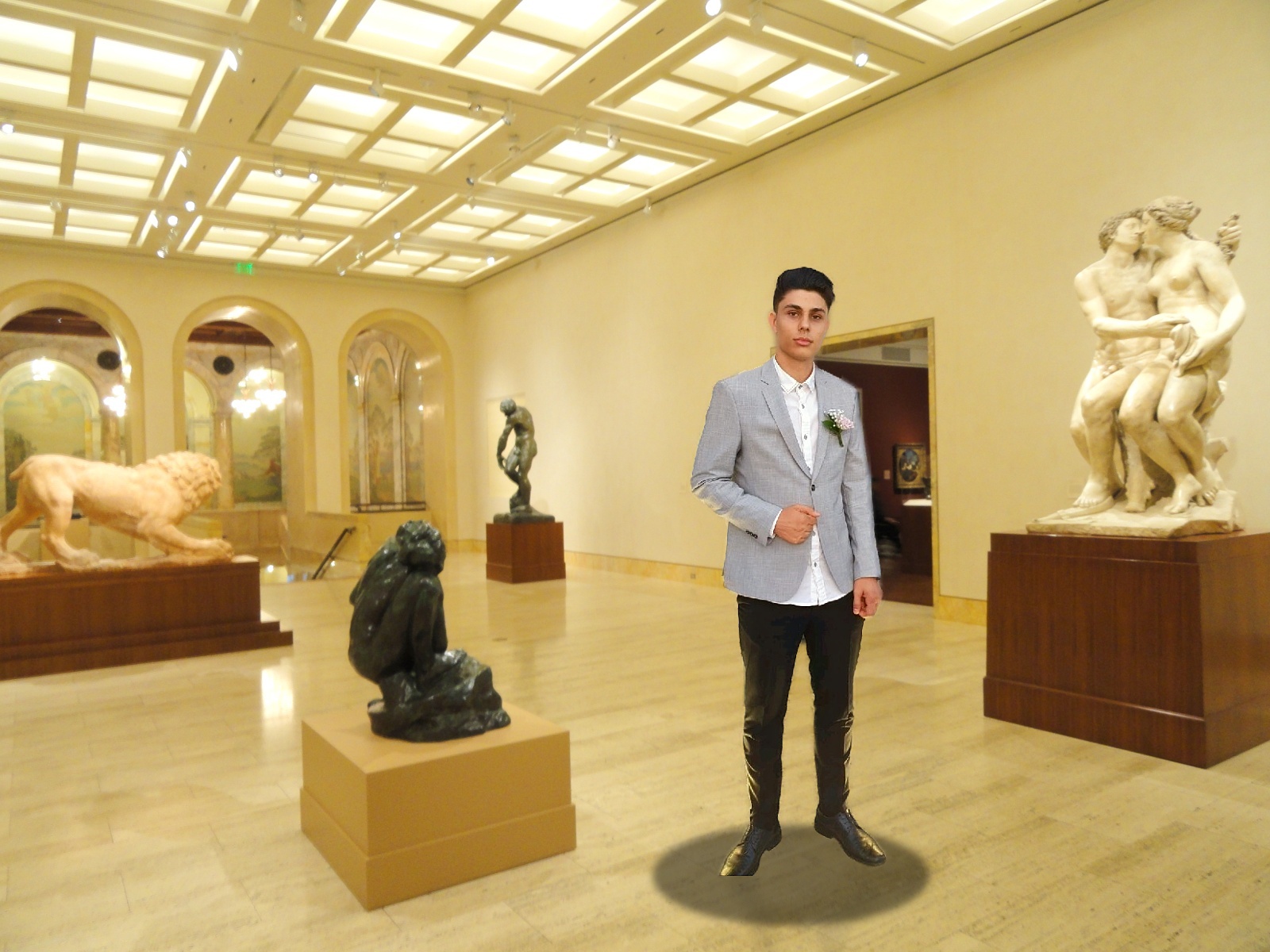
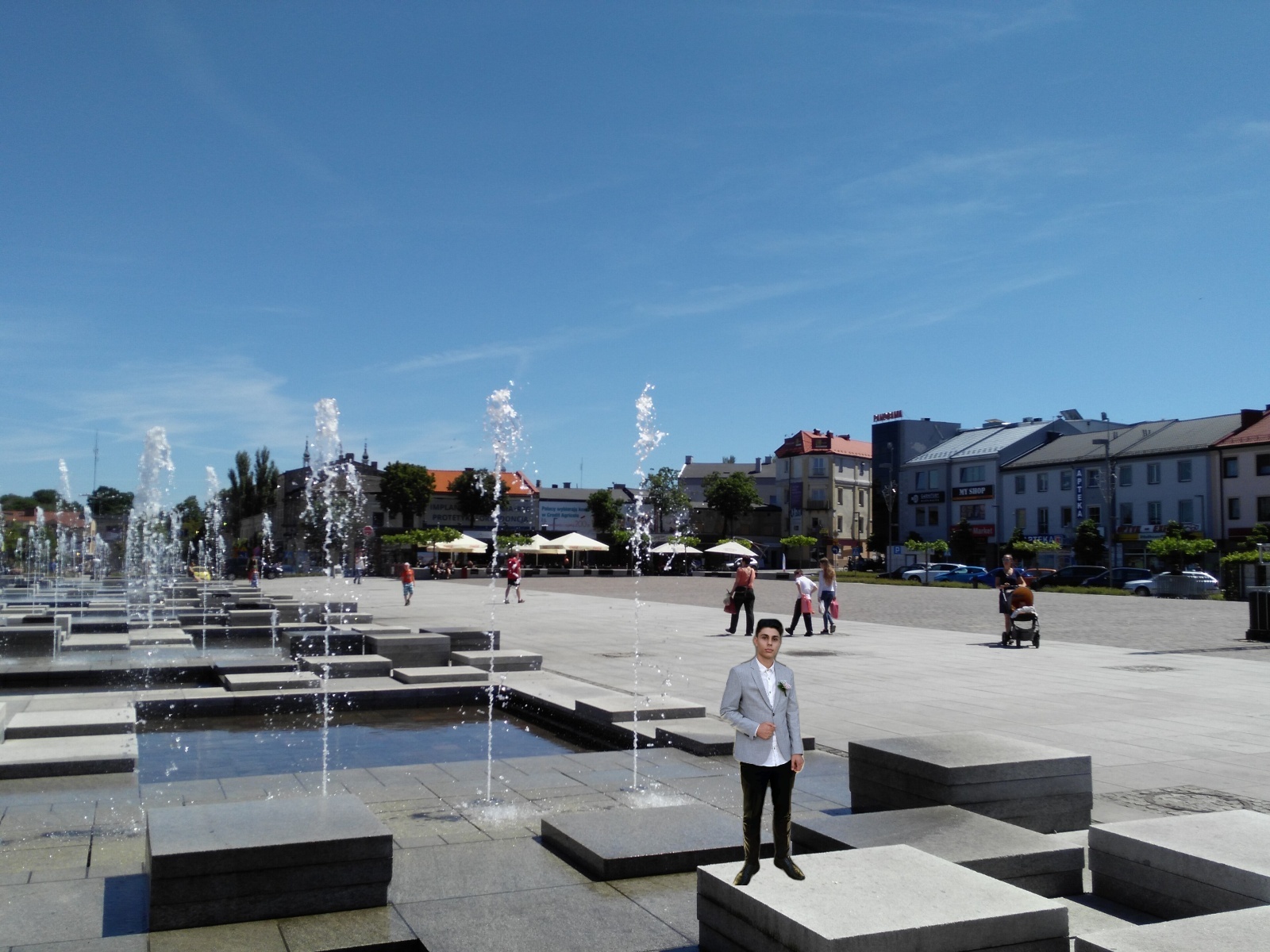
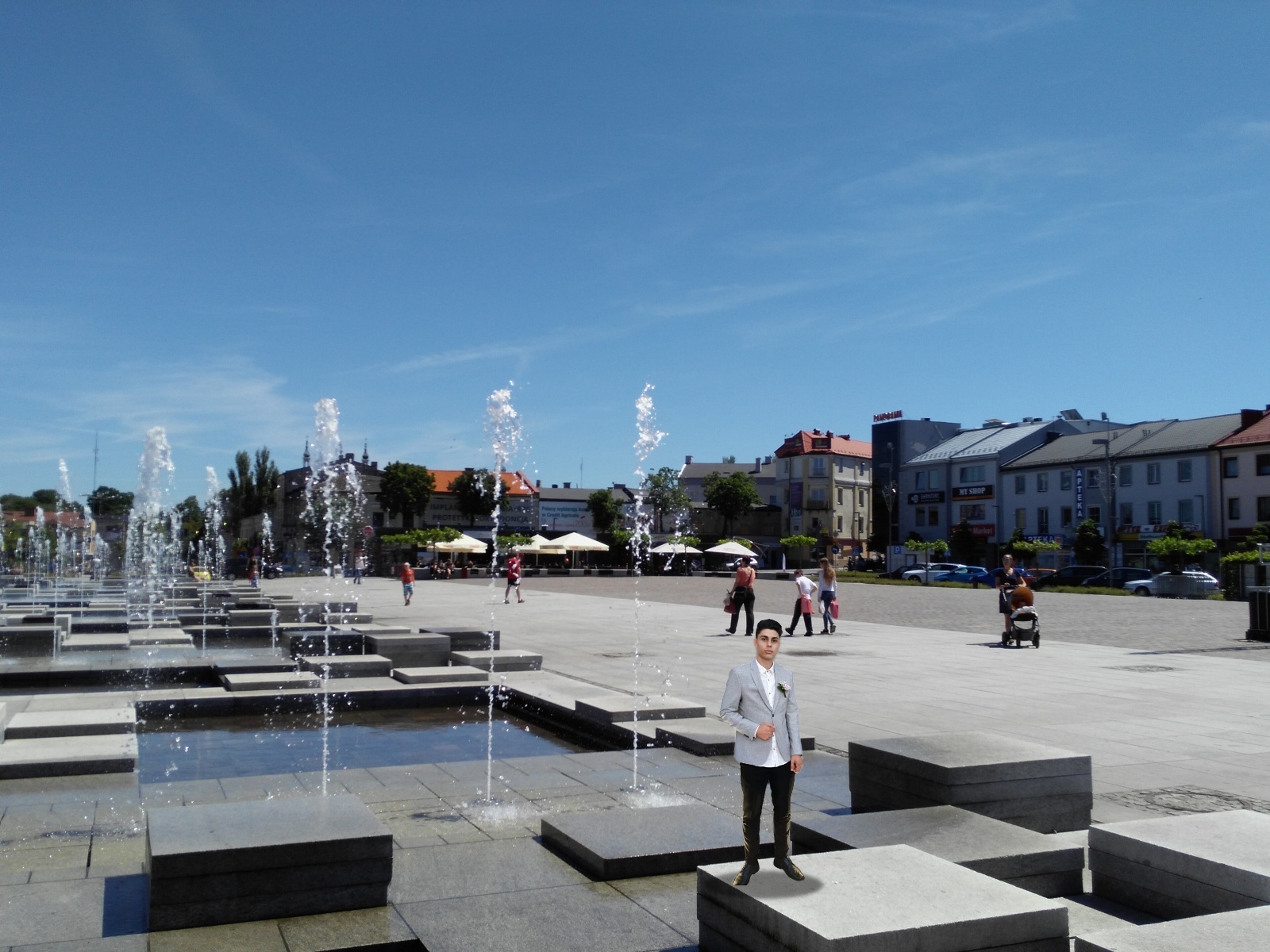
Scale and perspective from depth
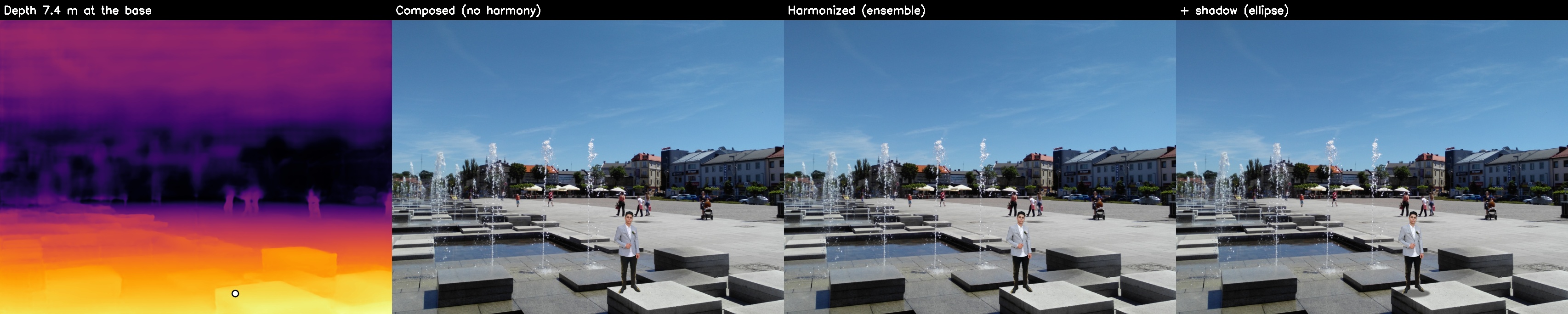
Depth Anything V2 (its metric version) estimates the distance in metres of every background pixel. Knowing the object's real height H and the distance Z at the point where it is placed, its height in the image is h = f · H / Z (a pinhole camera, with an assumed 60° field of view). A plane fitted to the 3D points of the surrounding floor tells how "flattened" the floor appears (its tilt), used for the ellipse of the contact shadow. The first panel shows the depth map (near = bright), with the contact point marked.

| Object (real height) | Scene | Distance at the base | Height in the image | Floor tilt |
|---|---|---|---|---|
| Black-figure amphora (0.51 m) | Nelson-Atkins | 3.8 m | 16.0% | 0.31 |
| Black-figure amphora (0.51 m) | Norton Simon | 3.2 m | 21.1% | 0.28 |
| Black-figure amphora (0.51 m) | Kielce | 5.1 m | 13.2% | 0.29 |
| Black-figure amphora (0.51 m) | The Met | 3.2 m | 21.1% | 0.25 |
| Red-figure amphora (0.46 m) | Kielce | 4.9 m | 12.5% | 0.30 |
| Red-figure amphora (0.46 m) | Nelson-Atkins | 3.9 m | 13.9% | 0.30 |
| Cypriot amphora (0.48 m) | The Met | 3.4 m | 19.0% | 0.23 |
| Cypriot amphora (0.48 m) | Norton Simon | 3.8 m | 17.3% | 0.25 |
| Person (1.78 m) | The Met | 4.2 m | 56.0% | 0.19 |
| Person (1.78 m) | Nelson-Atkins | 3.2 m | 64.6% | 0.36 |
| Person (1.78 m) | Square (outdoors) | 7.4 m | 28.3% | 0.24 |
The "height in the image" is that of the cut-out (the object + a small margin), as a fraction of the background's height. The same amphora appears smaller in the Kielce hall (5.1 m) than next to the camera (3.2 m), without any manual size setting.
Gallery: other objects
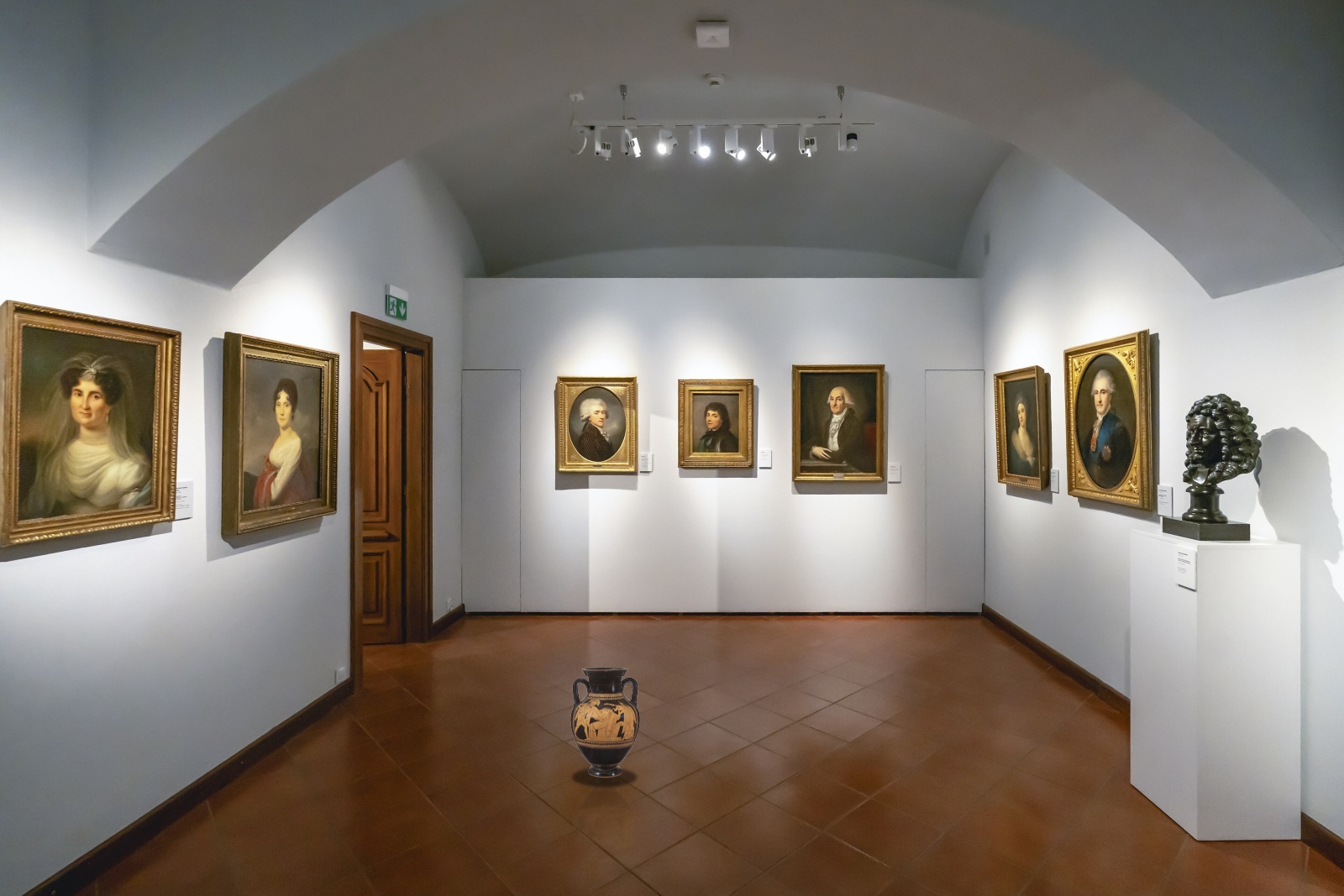
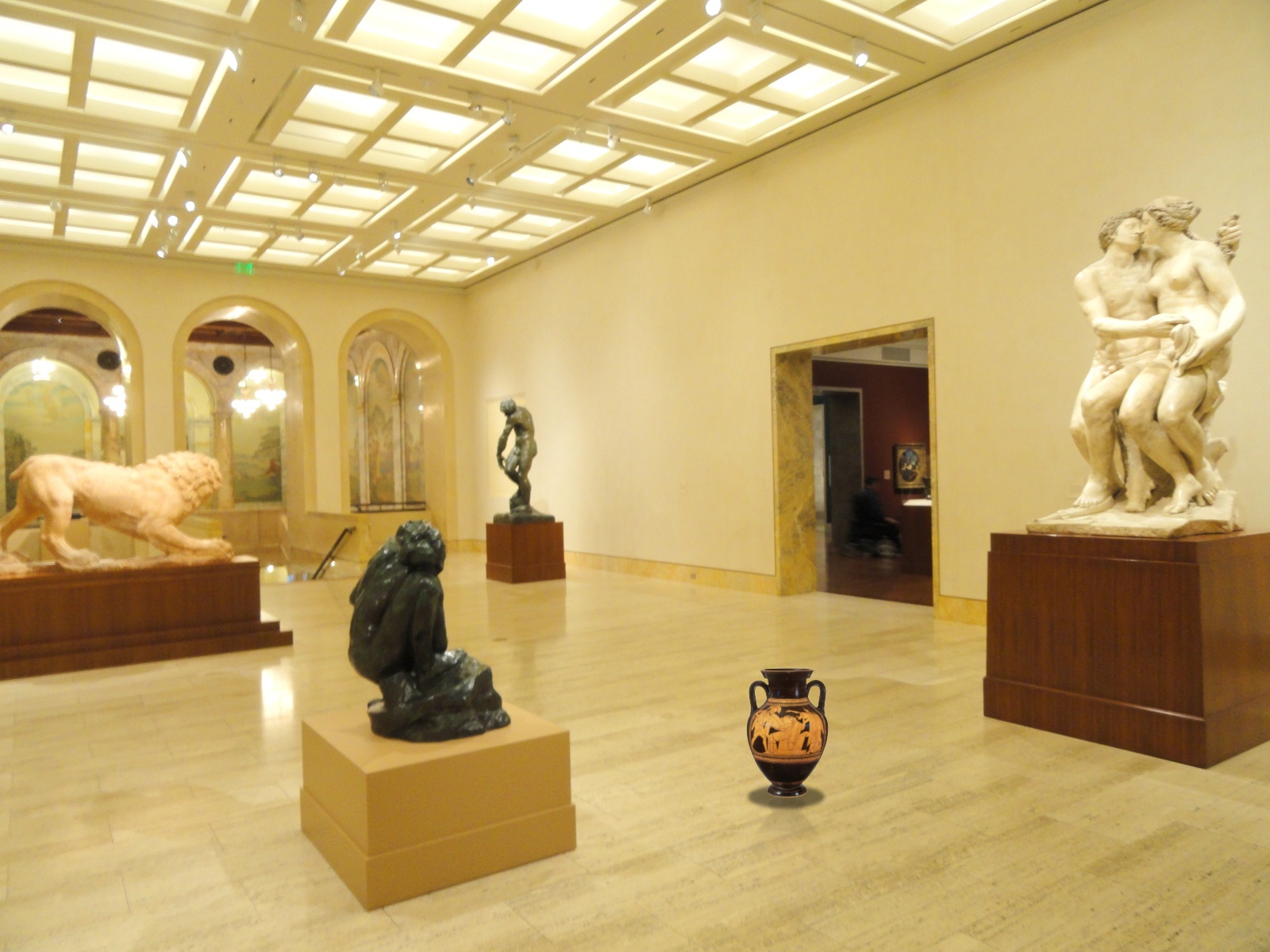
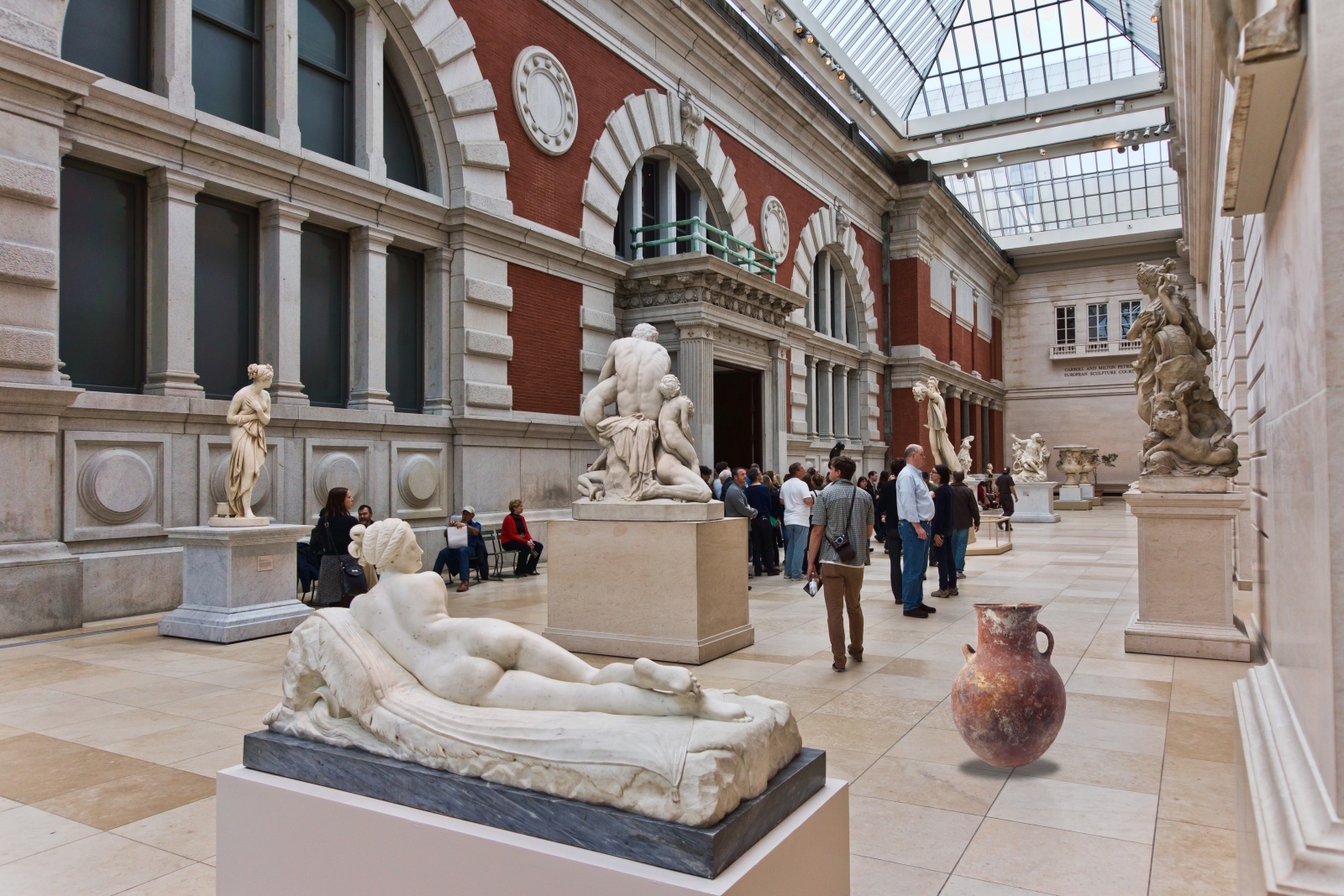
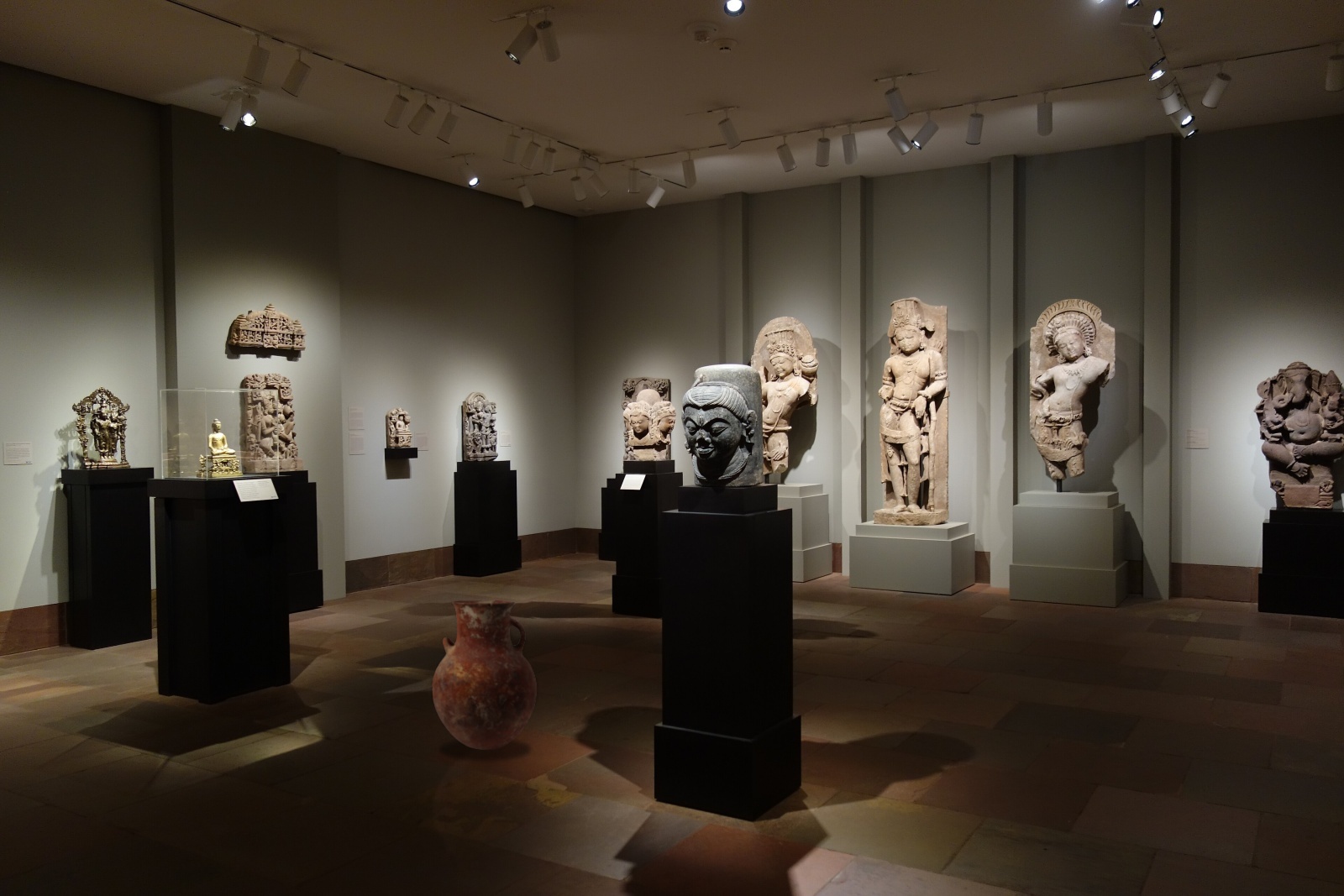
Harmonization and relighting: 11 methods
Colour harmonization does not change the direction of the light on the object. Two recent methods that relight the object were also tested, both running on an RTX 2060 (12–20 s per image, peak memory 4.7 GB and 4.4 GB):
- Intrinsic Harmonization (Careaga et al., SIGGRAPH Asia 2023): decomposes the image into albedo and shading, harmonizes the albedo of the object and re-shades it under the light estimated from the background (spherical harmonics from the scene's shading and normals).
- Ensemble + re-shading (the proposed combination): the colours of the ensemble of three networks, then only the re-shading step of the method above.
- IC-Light (Zhang et al., ICLR 2025): a diffusion model (Stable Diffusion 1.5) that regenerates the object lit as in the background; only the change of light is kept, as a smooth gain map, so that the details (the painting of the vase) are not altered.
The figures are cropped around the object; the full images are in data/harmonization_results/.
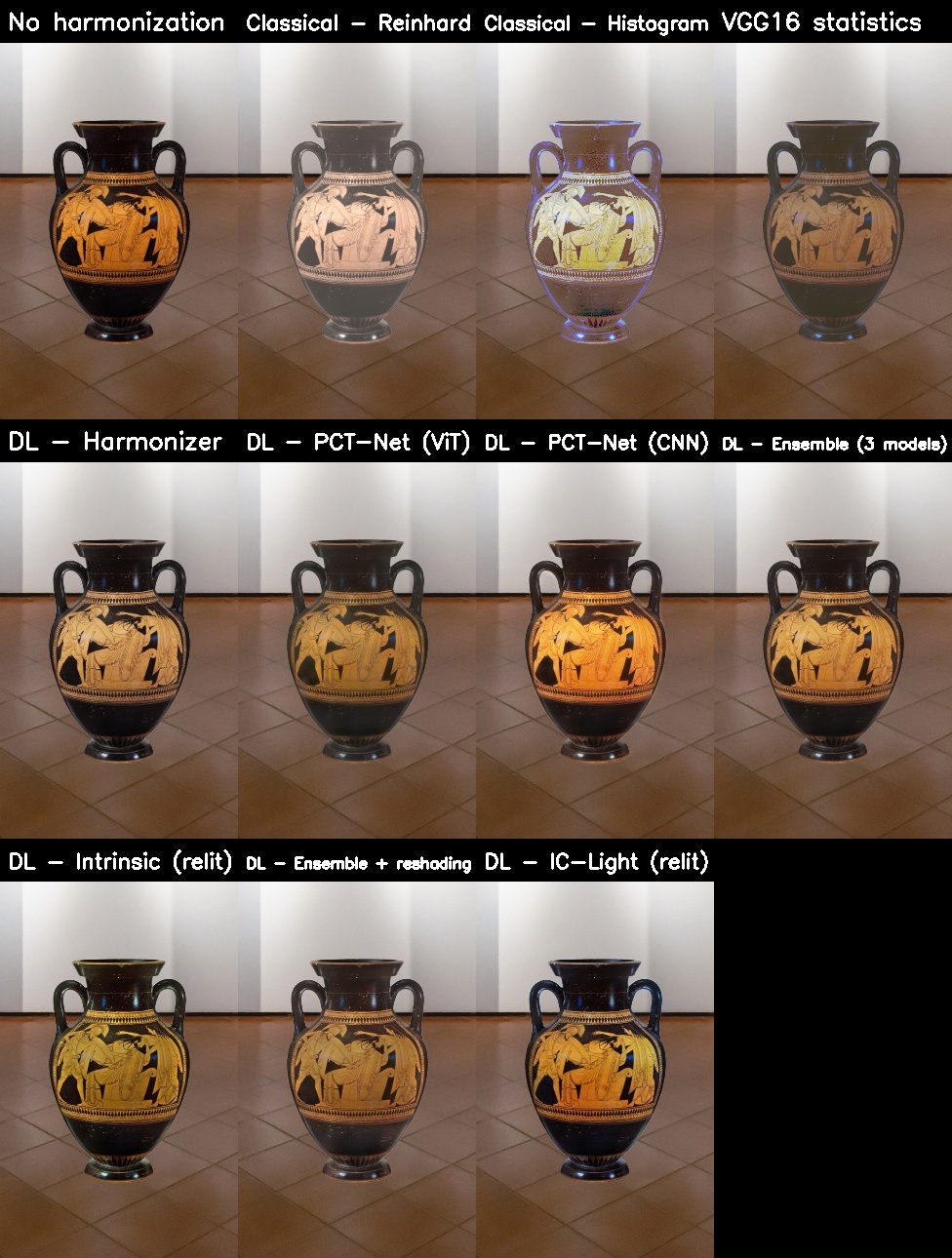
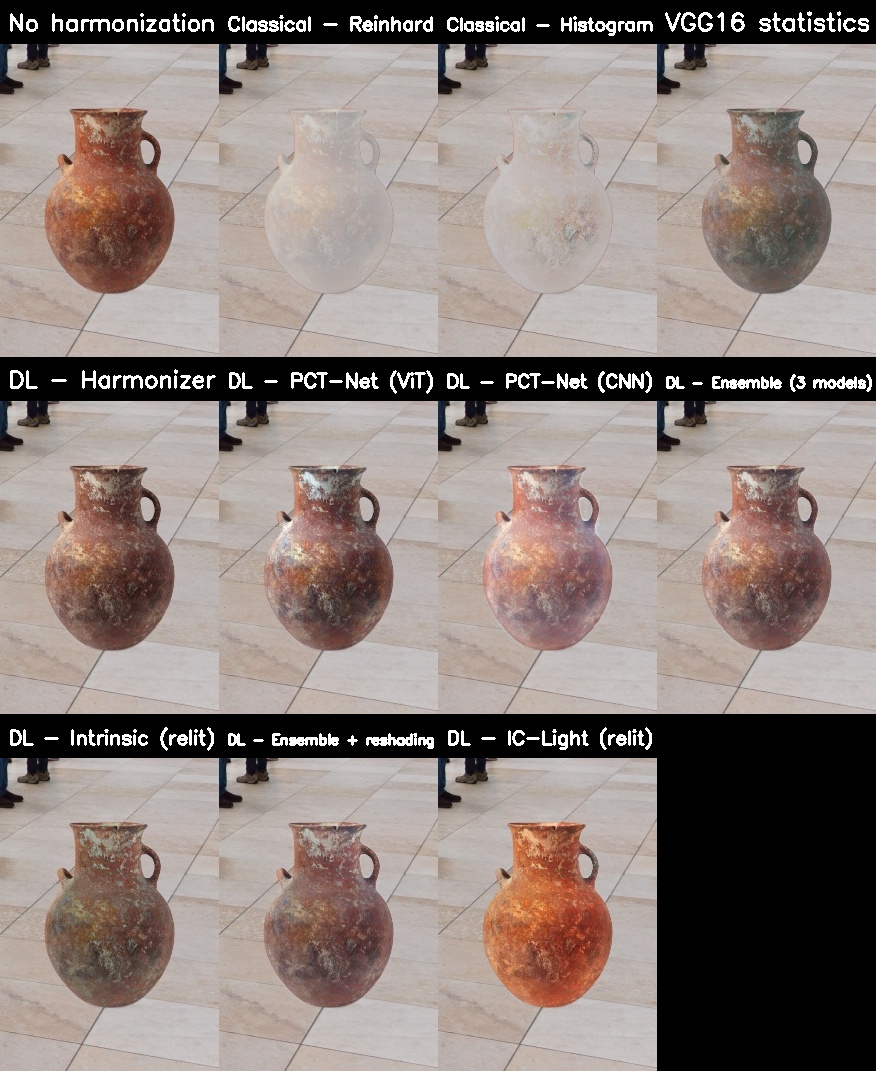
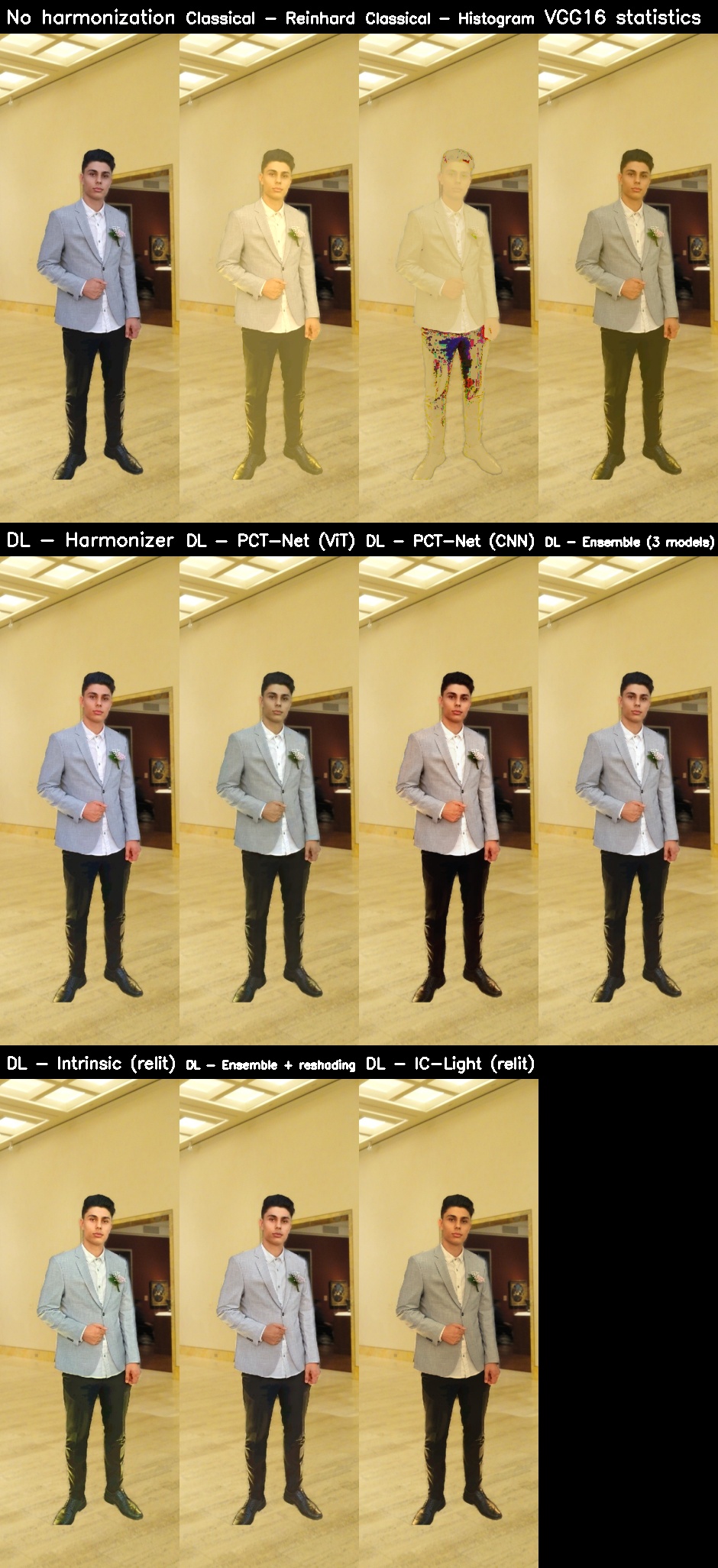
Conclusion: on an RTX 2060 both relighting methods run, but neither of them is safe for every object. Intrinsic Harmonization over-corrects the albedo of coloured objects (the orange of terracotta turns olive or greenish); the "ensemble + re-shading" variant keeps the colours and changes only the shading. IC-Light gives the most convincing result on the person (the warm tone of the skin matches the hall), but it saturates the terracotta vases. The default method remains the ensemble, the most accurate on the benchmark.

Harmonization benchmark (iHarmony4 protocol)
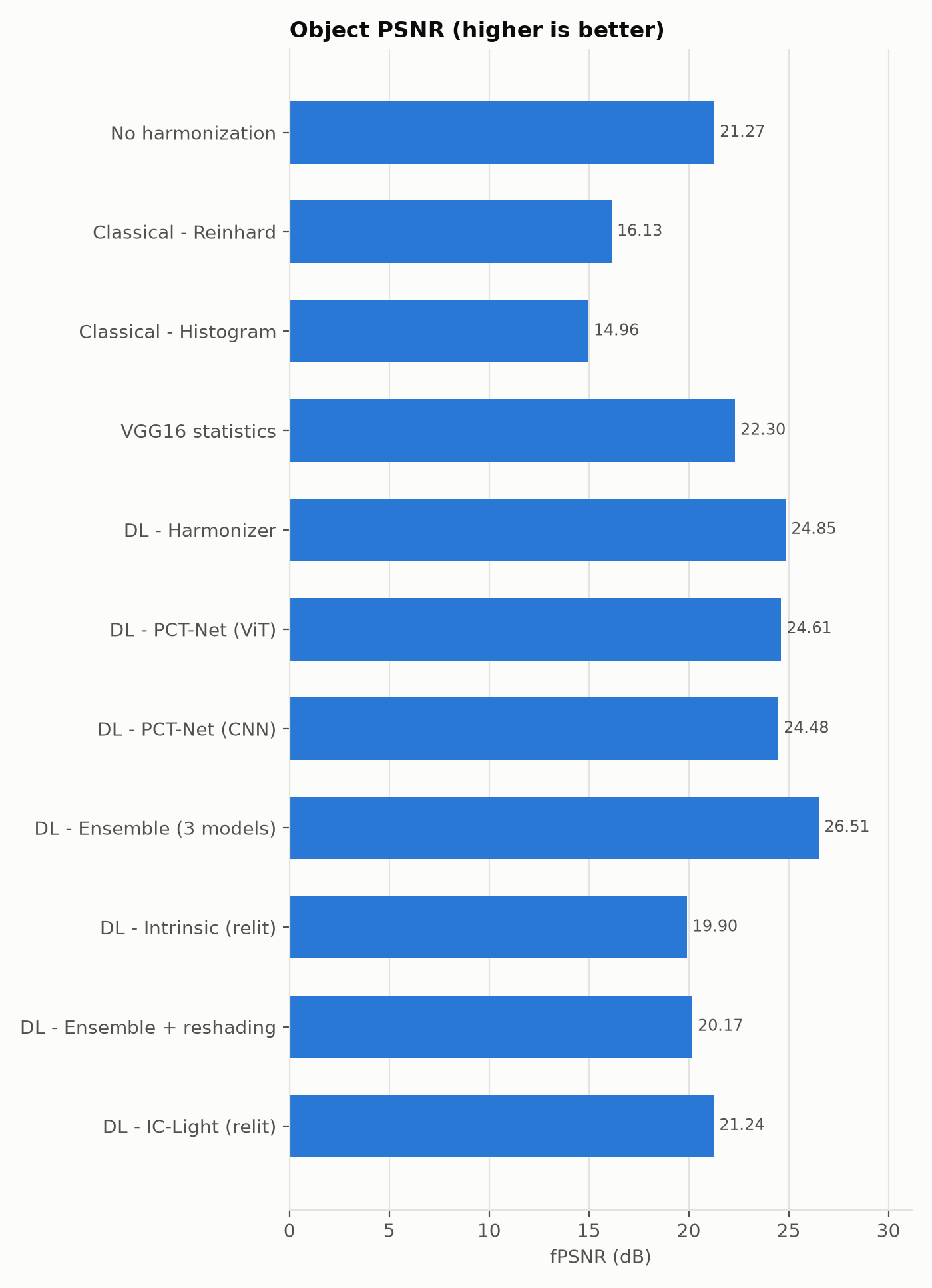
Real photos in which the object is recoloured at random; every method has to bring it back to its original look, and the untouched photo is the ground truth (30 cases: 6 photos × 5 recolourings). fMSE, fPSNR and fSSIM are computed on the object only.
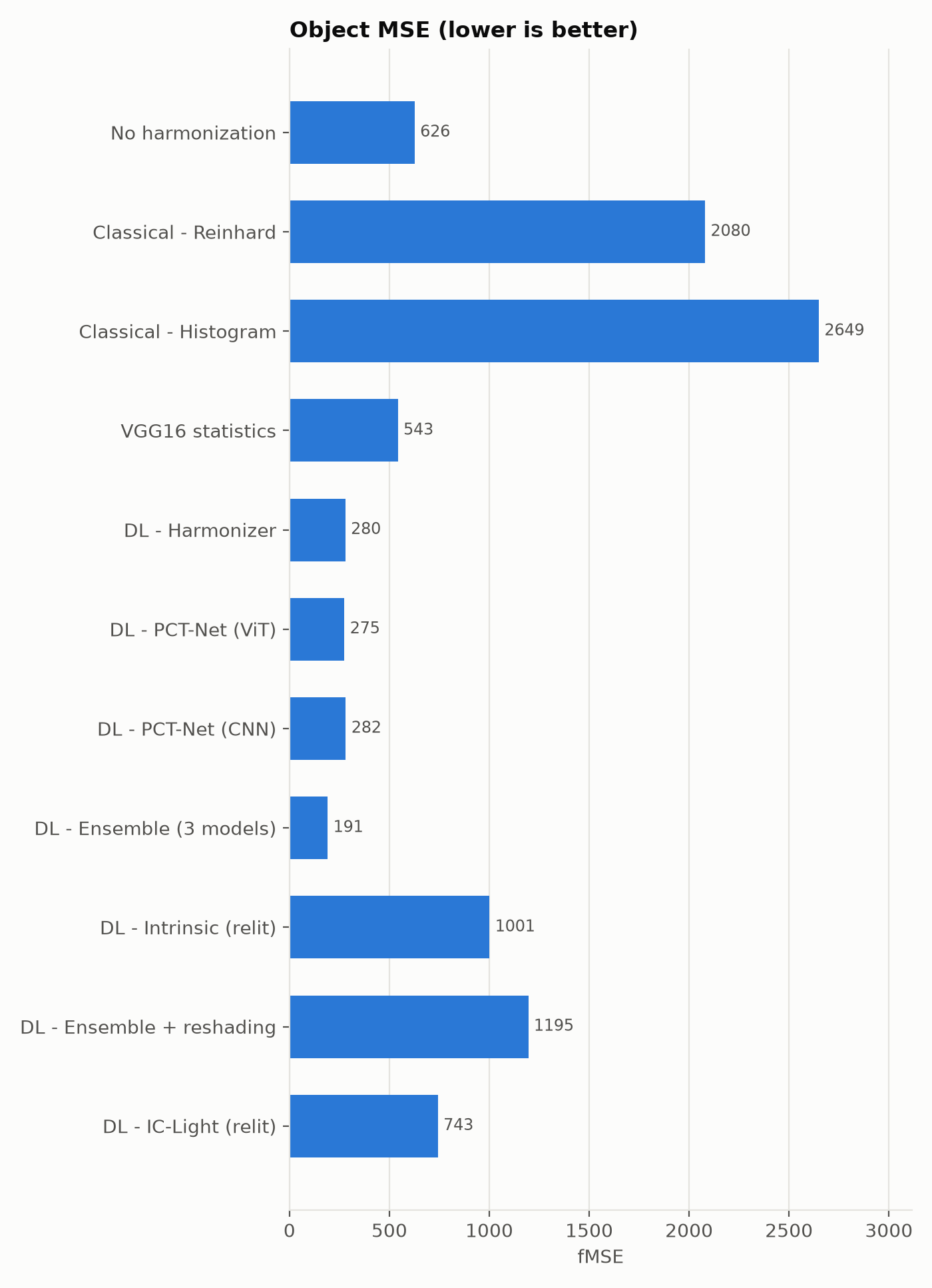
| Method | fMSE ↓ | fPSNR ↑ | fSSIM ↑ |
|---|---|---|---|
| No harmonization | 626 | 21.3 dB | 0.876 |
| Reinhard (classical) | 2080 | 16.1 dB | 0.785 |
| Histogram matching (classical) | 2649 | 15.0 dB | 0.714 |
| VGG16 statistics (no training) | 543 | 22.3 dB | 0.908 |
| Harmonizer (the previous version) | 280 | 24.8 dB | 0.932 |
| PCT-Net ViT | 275 | 24.6 dB | 0.930 |
| PCT-Net CNN | 282 | 24.5 dB | 0.929 |
| Ensemble: Harmonizer + PCT-Net ViT + CNN | 191 | 26.5 dB | 0.949 |
| Intrinsic Harmonization (relighting) | 1001 | 19.9 dB | 0.836 |
| Ensemble + re-shading | 1195 | 20.2 dB | 0.869 |
| IC-Light (relighting) | 743 | 21.2 dB | 0.866 |
The ensemble of the three networks remains the best method on every metric (fMSE 191, fPSNR 26.5 dB, fSSIM 0.949): it reduces the error on the object by 32% compared with Harmonizer (the previous version of the pipeline) and by 69% compared with the unharmonized image. The classical methods make the result worse, because they assume the object should have the colours of the background.
The relighting methods score lower on this benchmark, as expected: here the object is only recoloured in its own photo, so its lighting is already right, and any change of shading is penalized. The benchmark measures colour correction, not lighting. For real composites, where the object comes from another light (studio → museum hall), relighting can help visually (for example IC-Light on the person), but it can also exaggerate (the Cypriot amphora becomes too orange). That is why the pipeline keeps the ensemble by default, and relighting remains optional (--harmony intrinsic | reshade | iclight).
Segmentation
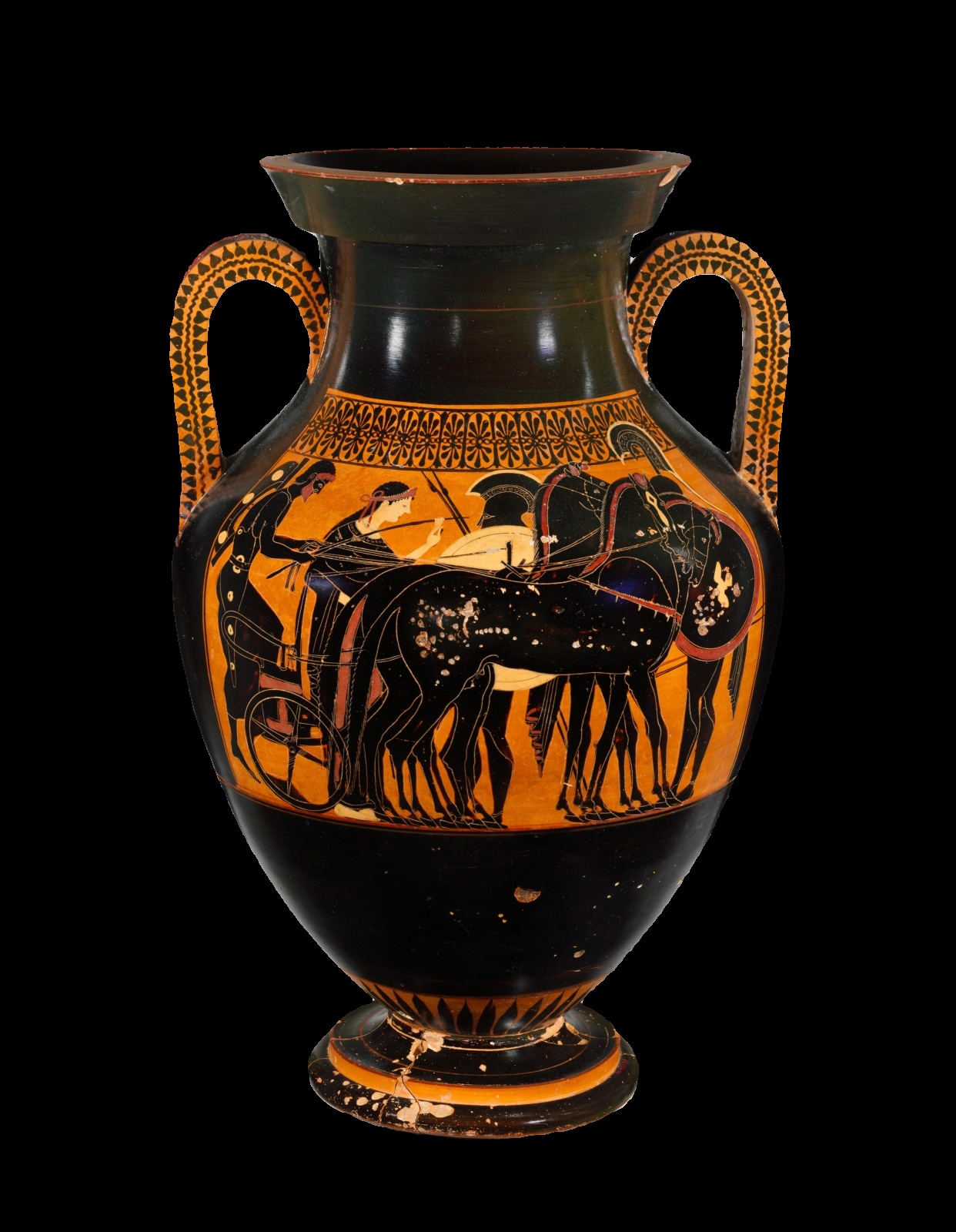
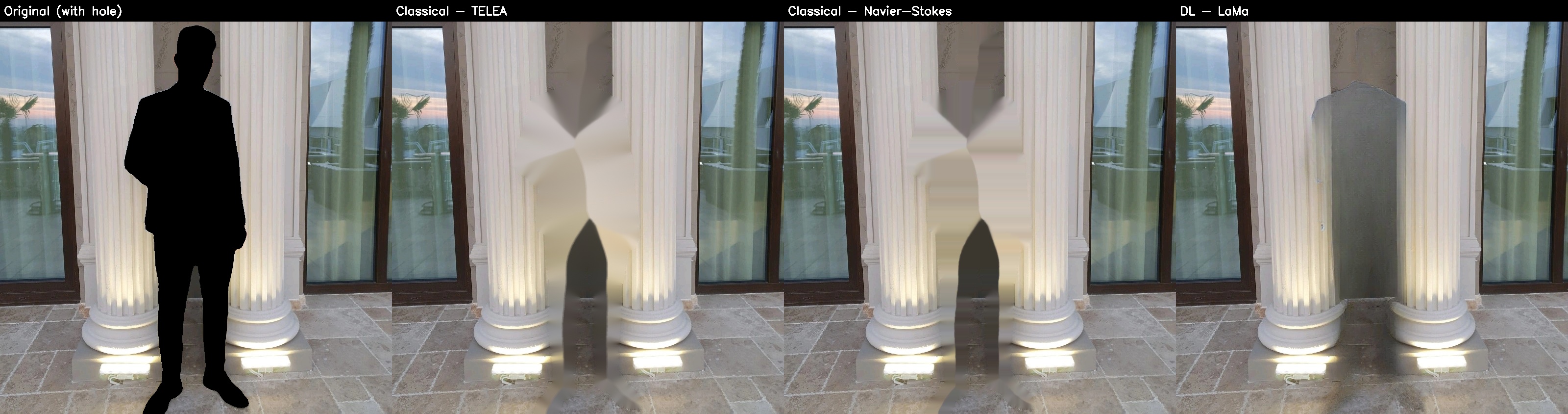
Inpainting

Shadows and reflection
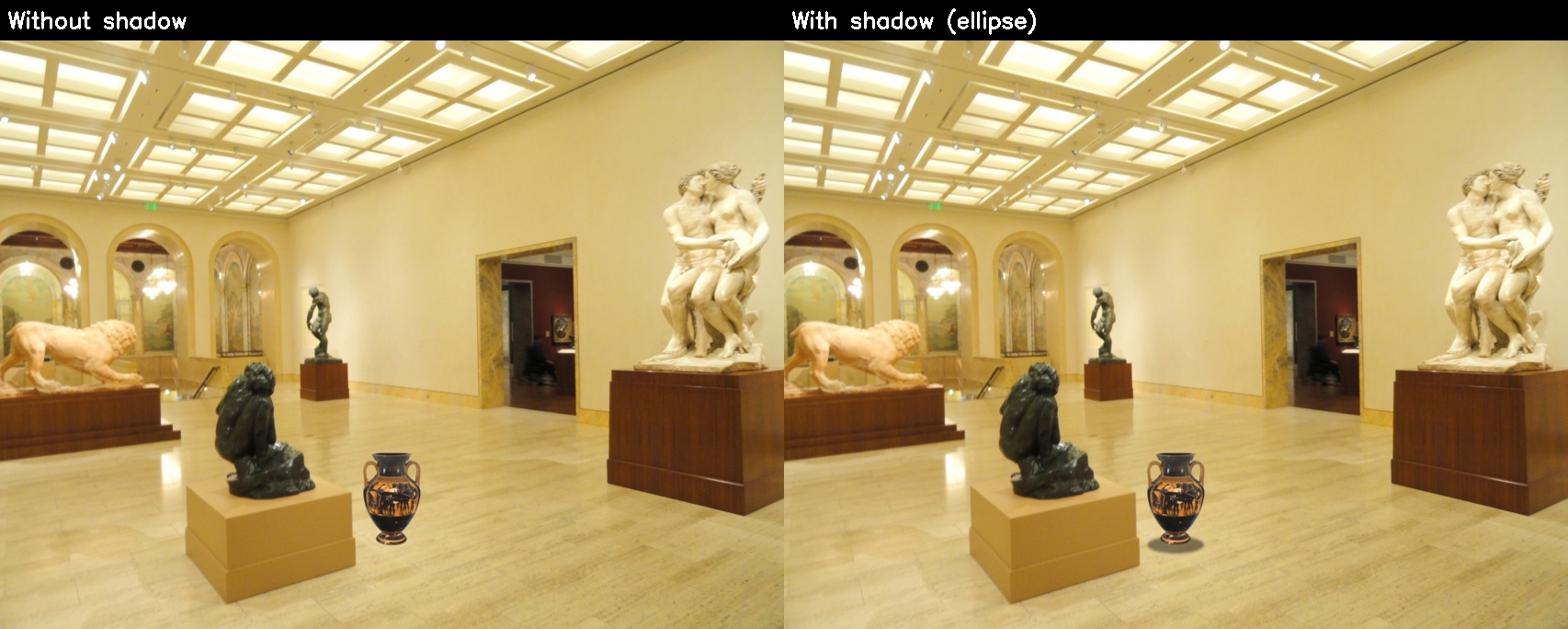
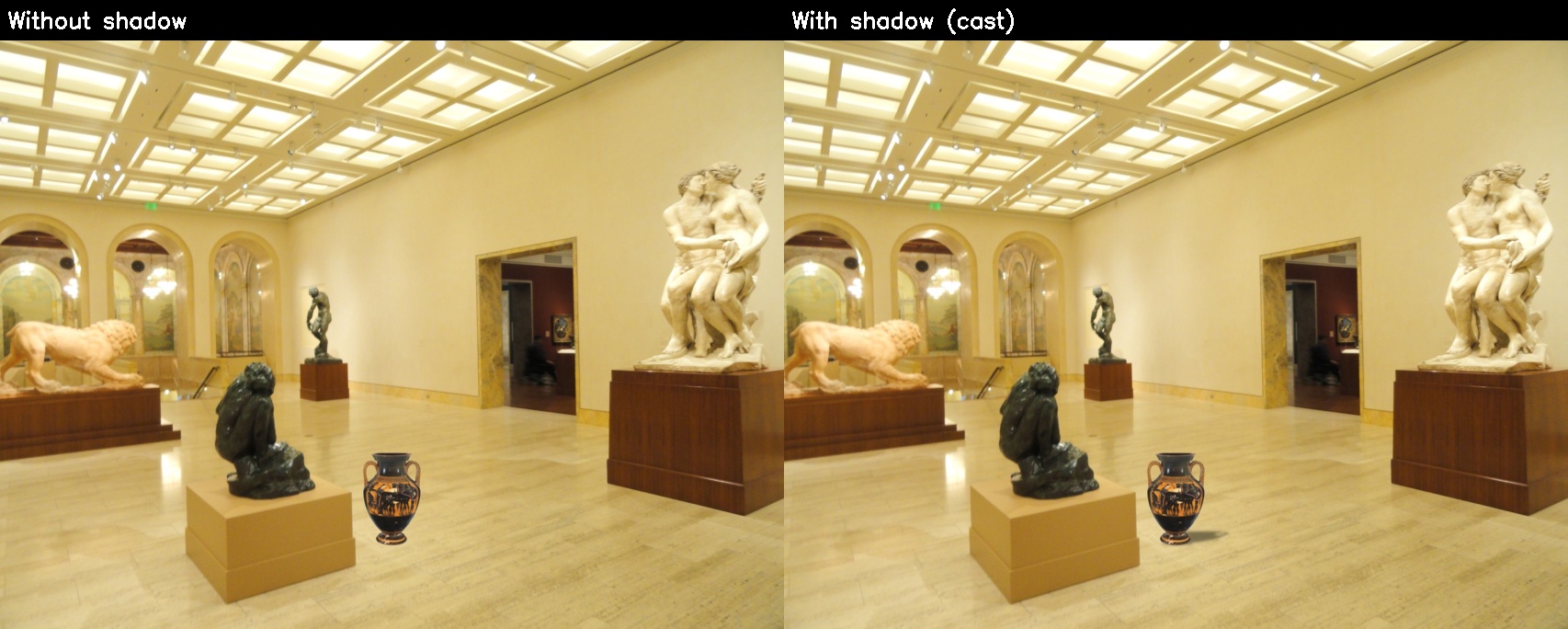
The reflection (--reflection 0–1) mirrors the object about its base line, blurred and fading; it can be seen in the enlarged panels of the demos above, on the lacquered parquet and on the glossy floors.
Sources
The photos: photos/CREDITS.md (author, source and licence of every image). The pretrained models and their licences are listed in README.md. Intrinsic Harmonization has an academic-use-only licence.